COPY
Press this button to copy the settings of the focus camera to all the following cameras.
(EX. focus camera is 2, its schedule settings will be copied to those of the cameras
3-8.)
Color (Mouse: Left click)
Press these buttons to select the active Recording Mode. The user may press the
different color radio button when the focus is on the Recording Mode to activate it.
The Recording Modes are : “Light purple color” – Alarm + Motion + Normal, “Dark
purple color” – Alarm + Motion, “Light red color” – Alarm, “Blue color” – Motion,
“Green color” – Normal, “Yellow color” – No Record, and Gray color for Others
(which is not selectable).
(Mouse: Left click and drag)
Mouse left click and drag to set the focus interval (one grid for one hour)
upwardly/downwardly to the different recording mode.
6.5 HDD Setup
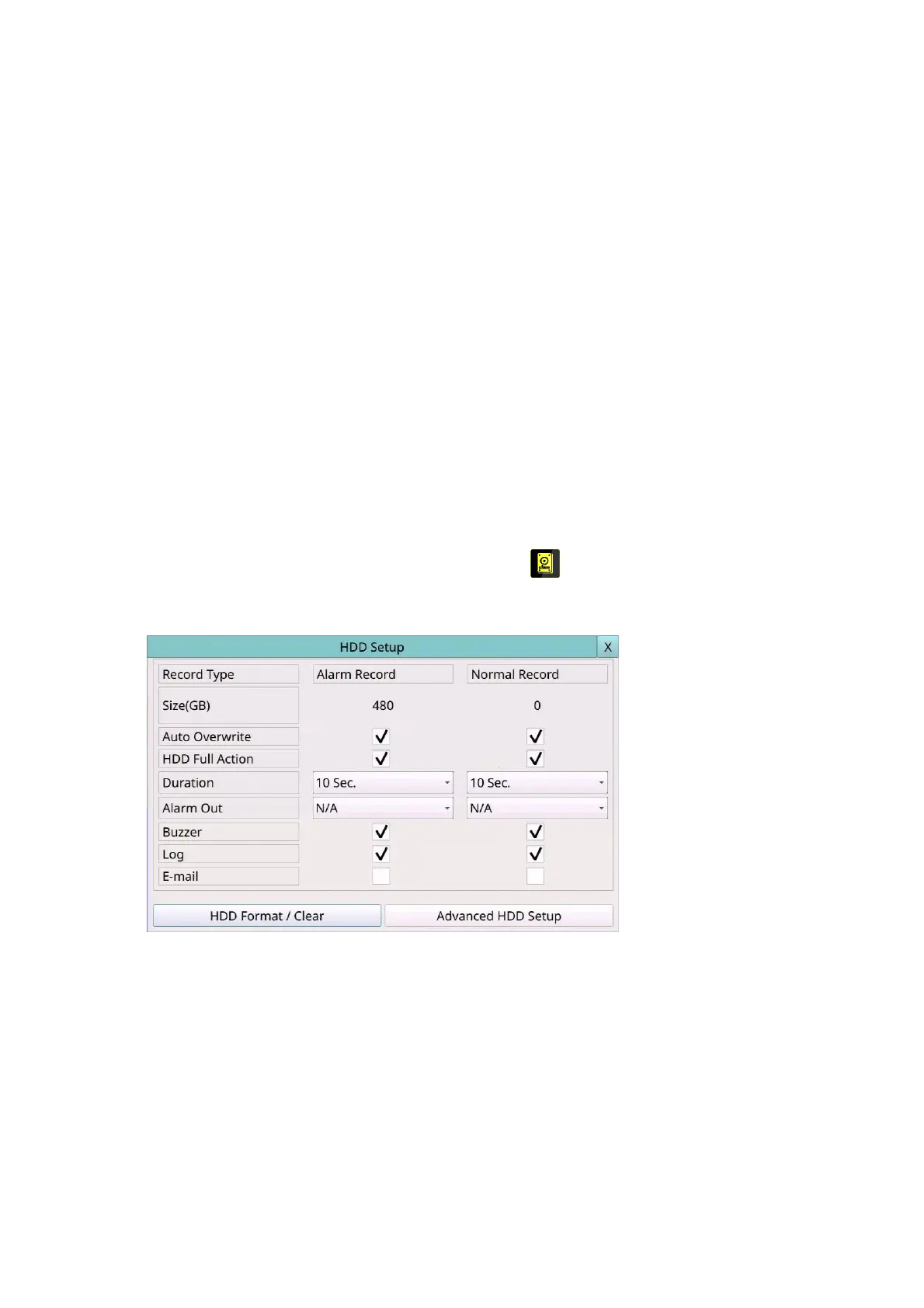
Left-click the mouse to select the HDD (Mouse: ) In Setup Menu display, the HDD
Setup will be shown.
In surveillance applications, alarm video/audio is much more important than normal
video/audio. So, this digital video/audio recorder is designed to allow the user to divide
each HDD into an alarm partition and a normal partition. And, alarm video/audio will be
recorded in the alarm partition, normal video/audio in the normal partition.
The HDD Setup allows the administrator to format/clear each HDD, set the Alarm Record
size and Normal Record size of each HDD, and define the behaviors for Alarm Record and
Normal Record if it reaches the end of the last HDD in the system.
The general operations are as below:



 To Next Page