5.7 System Shutdown (Administrator)
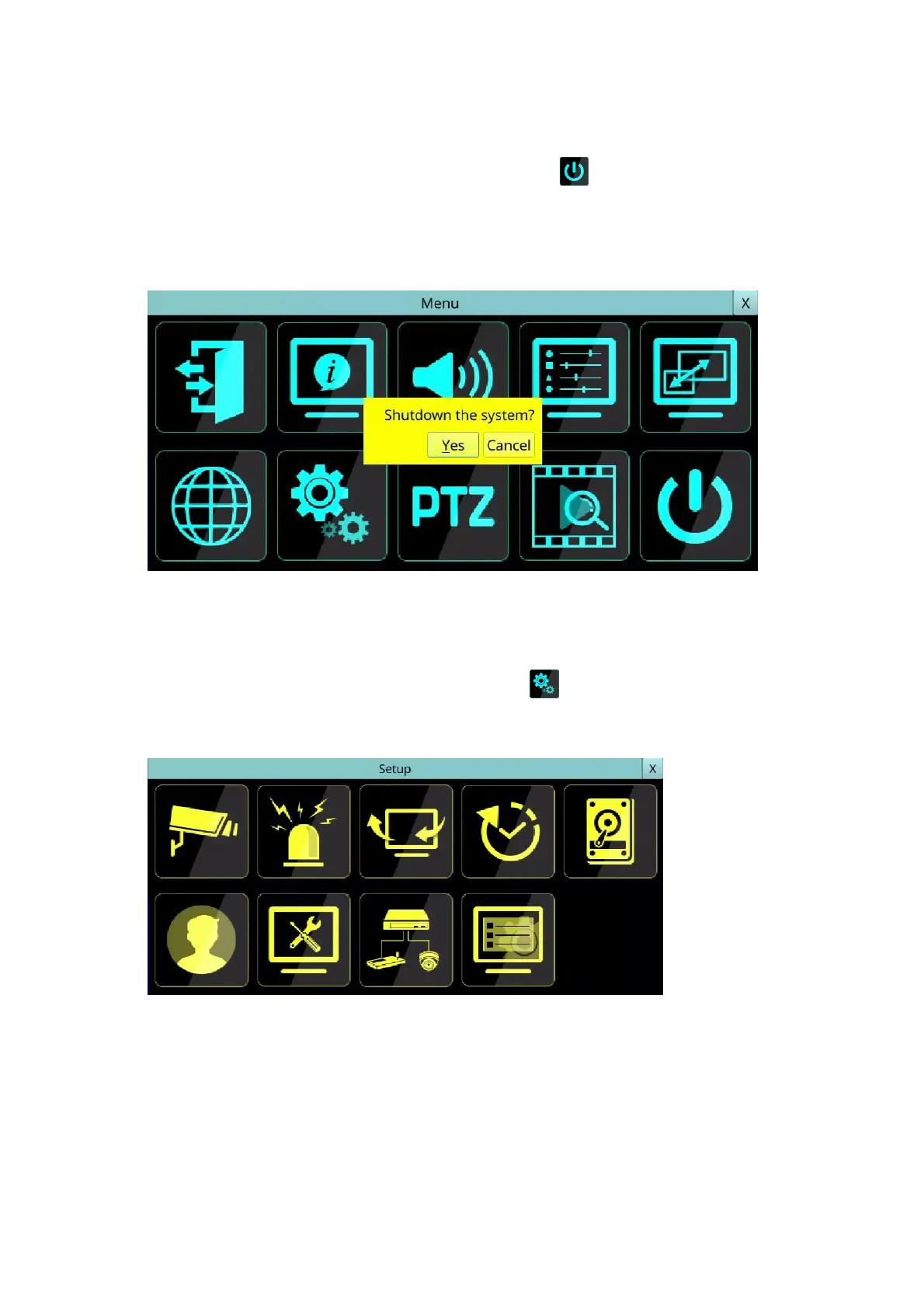
Left-click the mouse to select the Shutdown (Mouse: ) In Menu display to shut down
the system. A confirmation dialog will be shown on the screen. Press YES to confirm the
shutdown. The system will save all the files and all the states, and then display a
power-off message in the left lower corner area of the screen. The user may power off
the system safely when the power-off message is shown.
6. Setup (Administrator)
Left-click the mouse to select the Setup (Mouse: ) In Menu display, the Setup Menu
will be shown. (To enter Setup Menu display of the system, please login as Administrator
first.)
The user’s operations are described as the followings:
The general operations are as below:
Mouse: Left Click in the respective item
Select the items to set.
X (Mouse: Left Click X or Right Click to leave)
Press this button to escape from this screen, and return to Menu display. If the contents
have been modified, a Save dialog will be shown to ask the user to save the changes,
press YES to exit and save, CANCER to exit without saving.



 To Next Page