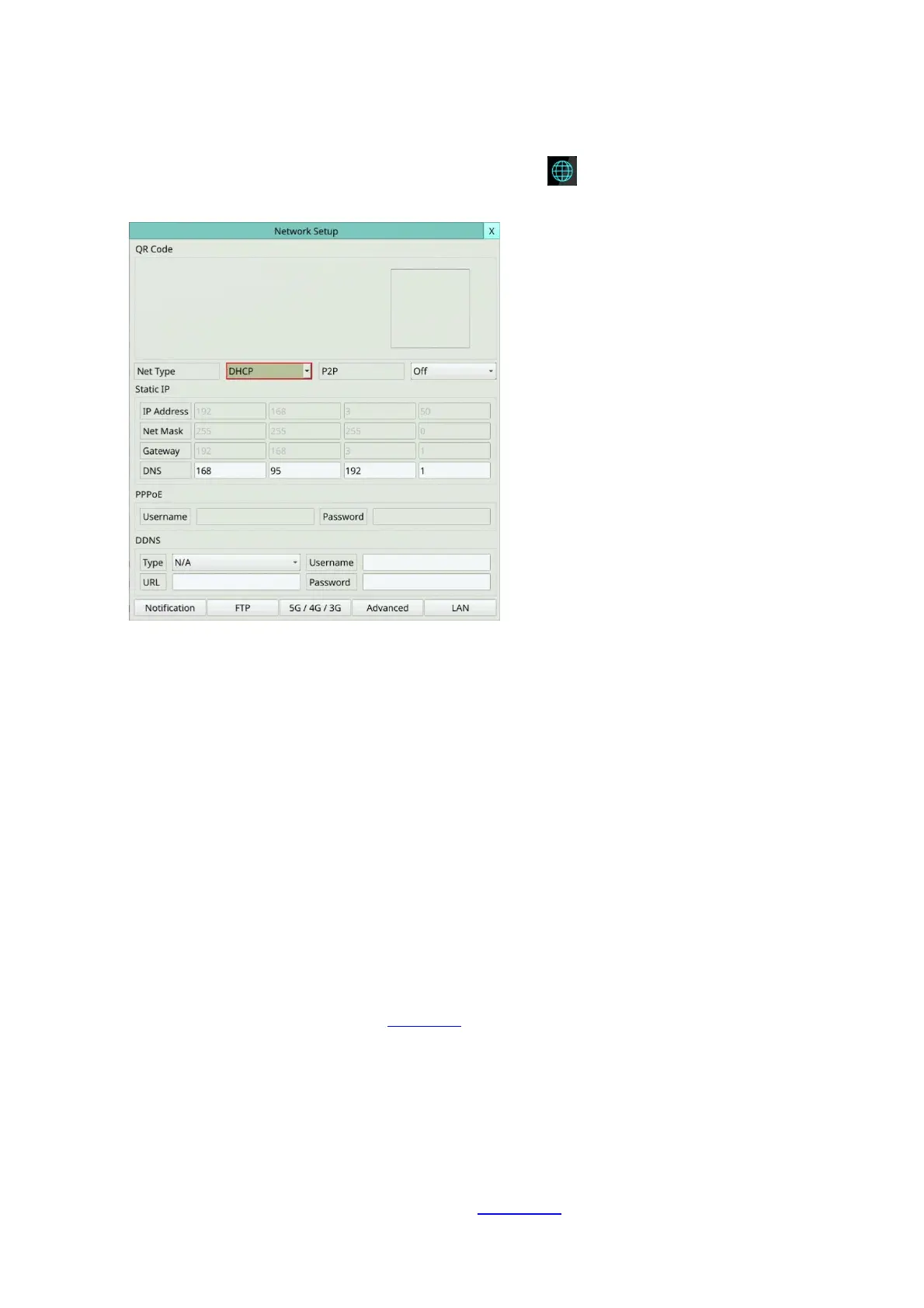
5.5 Network
Left-click the mouse to select the Network (Mouse: ) In Menu display, the Network
Setup will be shown.
The Network Setup allows the administrator to setup all Ethernet network related
parameters. Please check with your network administrator to set these parameters
correctly.
The general operations are as below:
Mouse: Click in the respective item
Select the items to set.
X (Mouse: Left Click X or Right Click to leave)
Press this button to escape from this screen, and return to Setup Menu display. If the
Save dialog is shown, press YES to exit and save, CANCER to exit without saving.
Following is a brief description for each item and its specific operations:
Net Type – Static IP, PPPoE, or DHCP. For internet access, please make sure the below
IP Address is a public IP address; otherwise, (1) a router with public IP address is
required, and the router must be setup for port mapping (forwarding) to the DVR, or
(2) CMS server must be used (Sec. 5.5.4).
P2P – if enabled, the QR code of the DVR will be shown on the upper right corner, and
users can scan it to access the DVR remotely through the QR code in the future. Please
make sure that TCP hole punching is possible for the NAT, Full-cone or Address
restricted cone, of the router connected to internet for the DVR or remote software.
IP Address – Ethernet IP address of the “Net Type” above for the system. To get the
static IP address, please contact your local ISP (Internet Service Provider). Please
follow the Text Input method described in Section 4.1 to modify these items.



 To Next Page