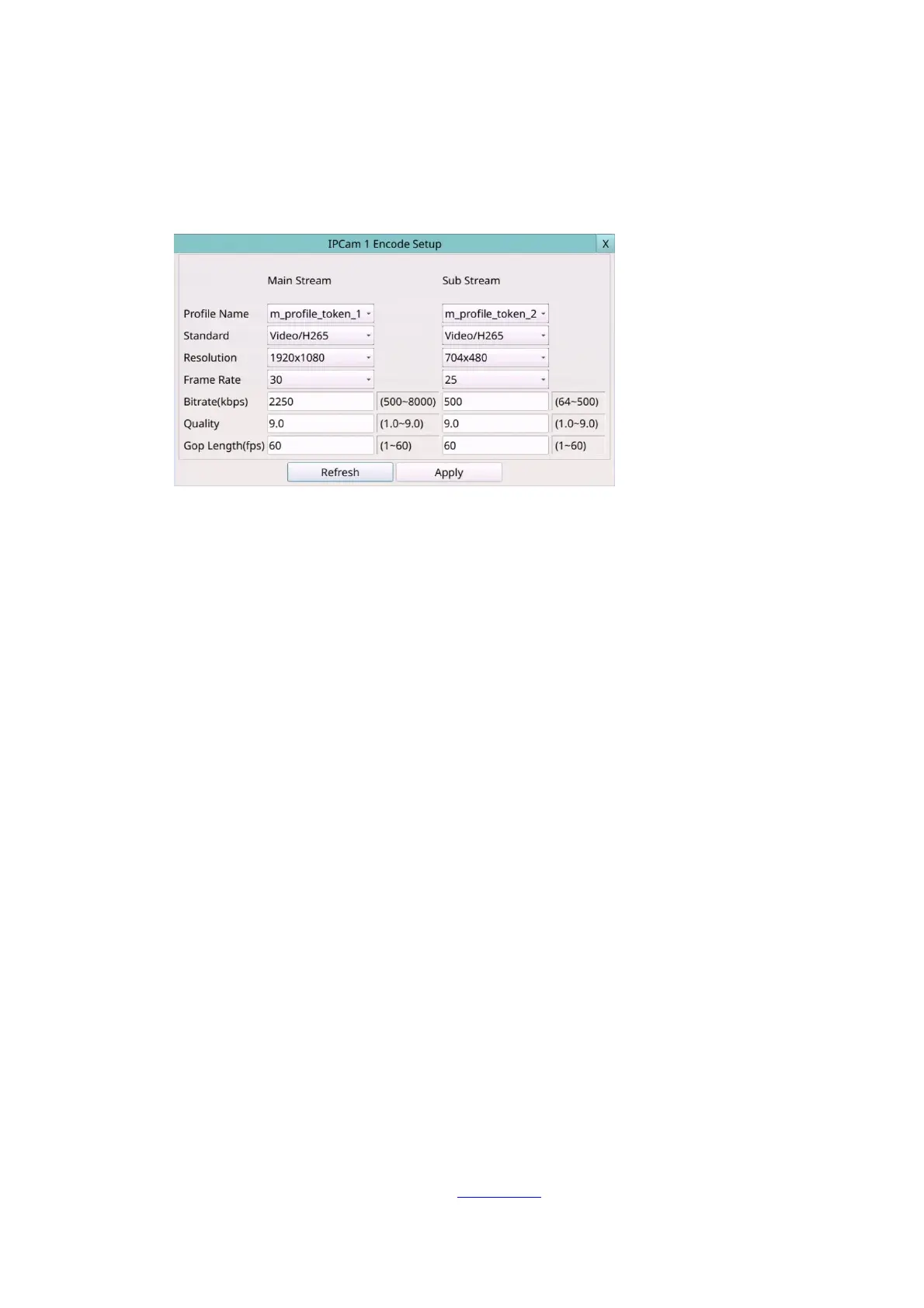
6.1.1 IPCam Encode Setup
In IPCam Setup, press Encode to call up IPCam Encode Setup of the selected camera. The
IPCam Encode Setup allows the administrator to define the encoding settings for the
camera.
The general operations are as below:
Mouse: Click in the respective item
Select the items to set.
X (Mouse: Left Click X or Right Click to leave)
Press this button to escape from this screen, and return to IPCam Setup Menu display.
If the contents have been modified, a Save dialog will be shown to ask the user to
save the changes, press YES to exit and save, CANCER to exit without saving.
Following is a brief description for each item and its specific operations (Mouse: Left click)
to change the settings:
Stream –It is divided into main stream and sub stream. Main stream settings are used
for video recording. Sub stream settings are used for live multi-views.
Profile name –The profile name that main stream/ sub stream use.
Standard – Compression format, H.265 or H.264.
Resolution – Encoding resolution of IP Camera.
Frame rate –Encoding frame rate of IP Camera.
Bitrate (kbps) –Encoding bitrate of IP Camera.
Quality –Encoding quality of IP Camera.
Gop length (fps) –Encoding GOV length of IP Camera.
Apply – Apply settings to IP Camera.
Refresh – Reload the encoding settings of IP Camera.
6.1.2 IPCam Image Setup
In IPCam Setup, press Image to call up IPCam Image Setup of the selected camera. It will
link to Video Adjustment, Please refer to Section 5.3 for the details.



 To Next Page