1. Product Overview
The network recorders are designed for use within a surveillance system with limited space
and combine a hard disk recorder, a video multiplexer, and a web server. This series of
digital video/audio recorders are all based on industry-leading front-end to back-end
surveillance infrastructure to achieve the highest inter-connectivity and inter-operability.
With state-of-the-art system architecture, powerful compression/decompression engine,
and intelligent recording algorithms, sixfold operation can be easily achieved without
sacrificing the increasing demands of functionality, performance, reliability, and availability
in the surveillance industry.
2. Remote Controller
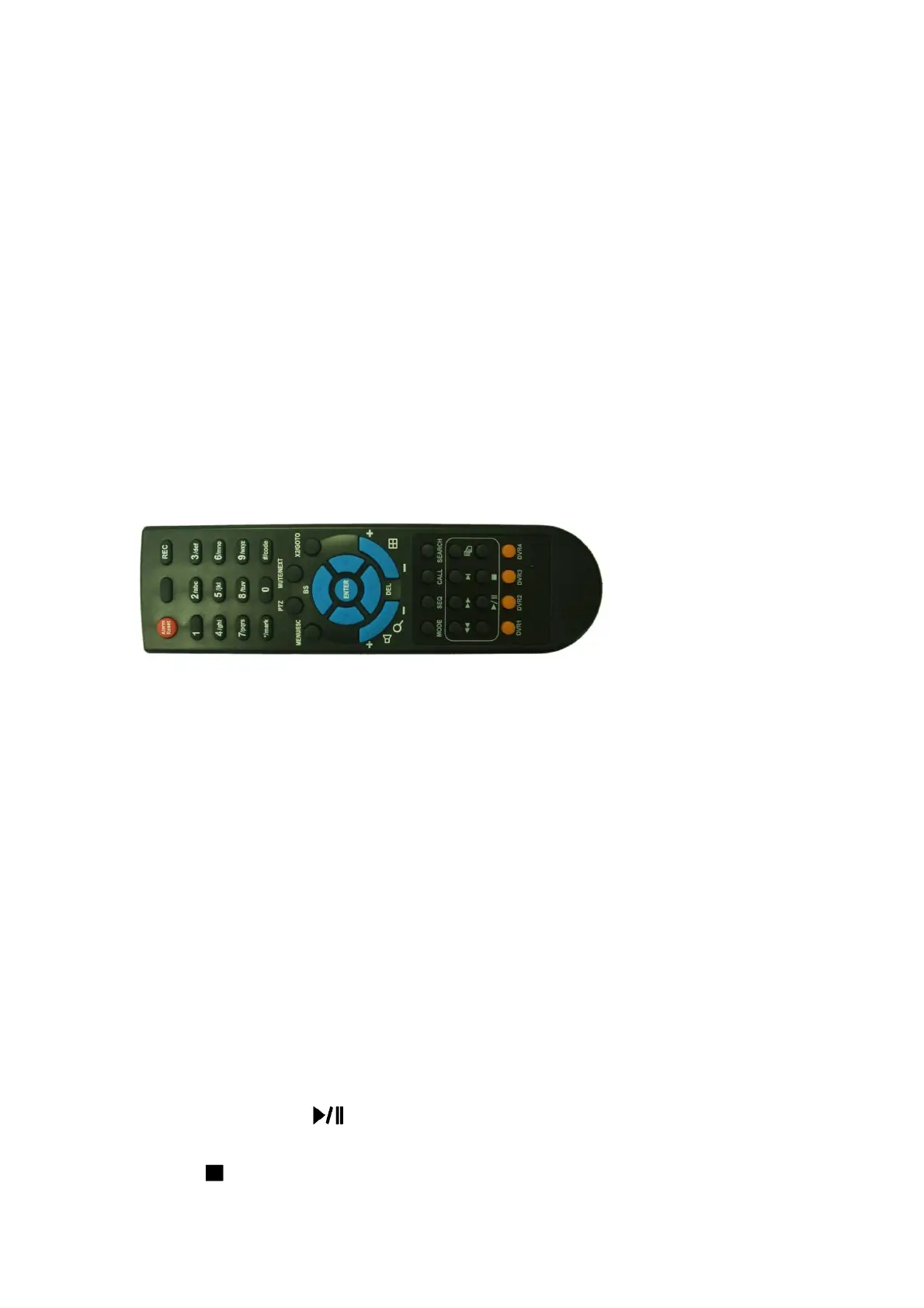
2.1 Remote Controller (Will be supported in the future.)
The remote controller is an optional accessory to ease the user’s operations. You can do all
the operations by the remote controller instead of the buttons on the front panel. The
effective distance is about 10 meters without any obstacle.
1. MODE Button
Press this button to toggle between live mode and playback mode in main screen
display. In some dialogs, this button is used as a miscellaneous function key. At
playing, this button is used as “slow backward”.
2. SEQ Button
Press this button to switch to or return from SEQ display mode in main screen display.
In some dialogs, this button is used as a miscellaneous function key. At playing, this
button is used as “slow forward”.
3. CALL Button
Press this button to switch to or return from full screen display of the focus camera in
main screen display. In some dialogs, this button is used as a miscellaneous function
key.
4. SEARCH Button
Press this button to display the search menu in main screen display. In some dialogs,
this button is used as a miscellaneous function key.
5. REC Button
Press this button to force manual recording. To stop manual recording, press it again.
6. Play/Pause Button ( )
Press this button to play the recorded images, or pause the playback.
7. Stop ( ) Button
Press this button to stop the playback.



 To Next Page