motion will be shown on the screen. Press this button again to stop testing.
Privacy Mask Settings – used to setup the privacy mask settings. The Privacy Mask
Setup is similar to Motion Detection Setup, except that the green area of the camera
will be blacked out for live/recorded video.
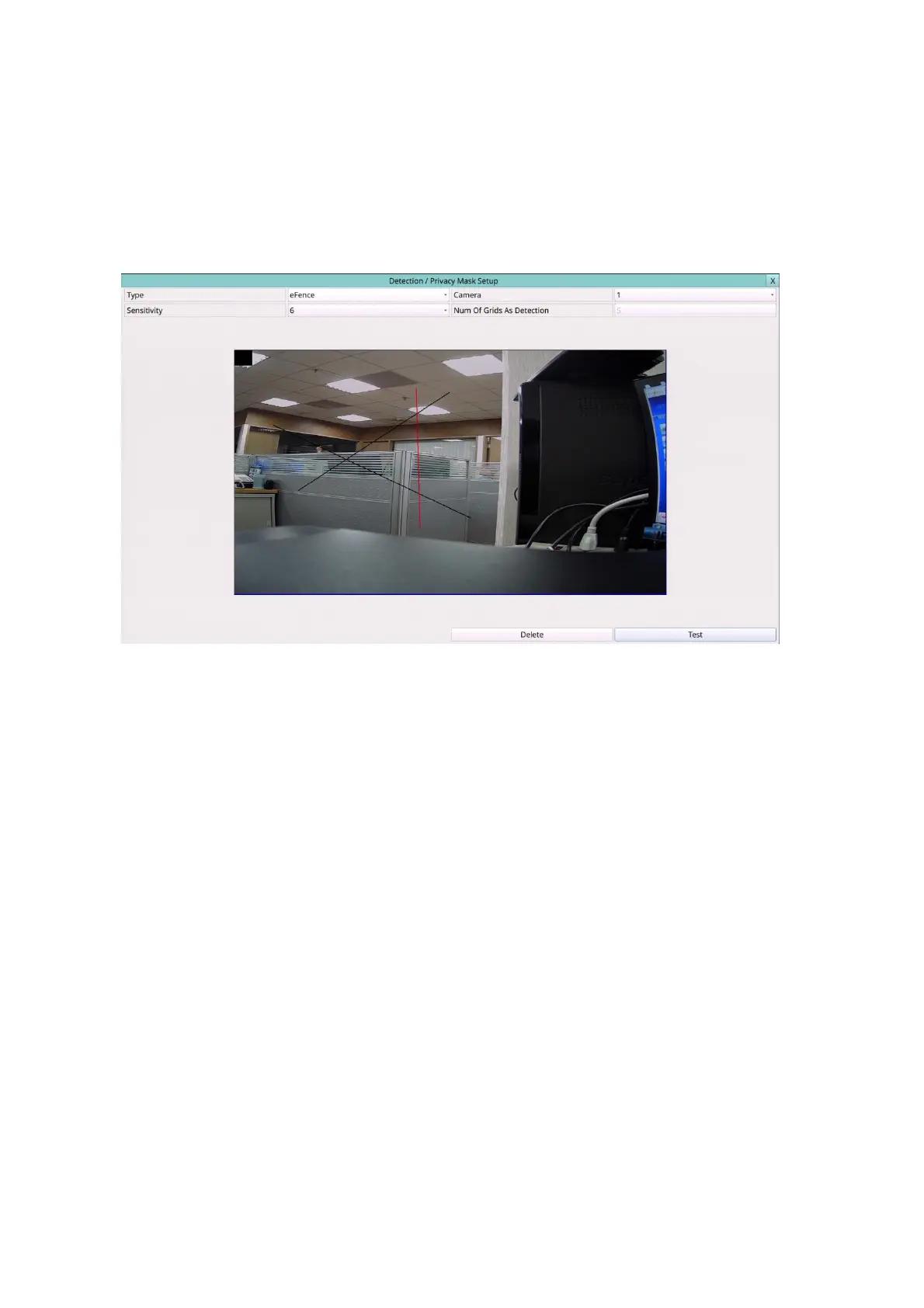
Following is a brief description for the operations of eFence detection (optional):
Type – Press to select the type to set.
Camera – Press the Numeric to select the camera.
Sensitivity – The sensitivity, 1 – 10, for the motion detection of this camera.
Mouse: Left click and drag – Draw the eFence line. Up to 4 lines can be drawn.
Mouse: Left click – Click on the eFence line to select it.
Delete – Click to delete the selected eFence line.
Test – Click on this button to test. The color of the eFence line will be changed if it’s
crossed by an object of reasonable size. Click on it again to stop testing.
Privacy Mask Settings – used to setup the privacy mask settings. The Privacy Mask
Setup is similar to Motion Detection Setup, except that the green area of the camera
will be blacked out for live/recorded video.



 To Next Page