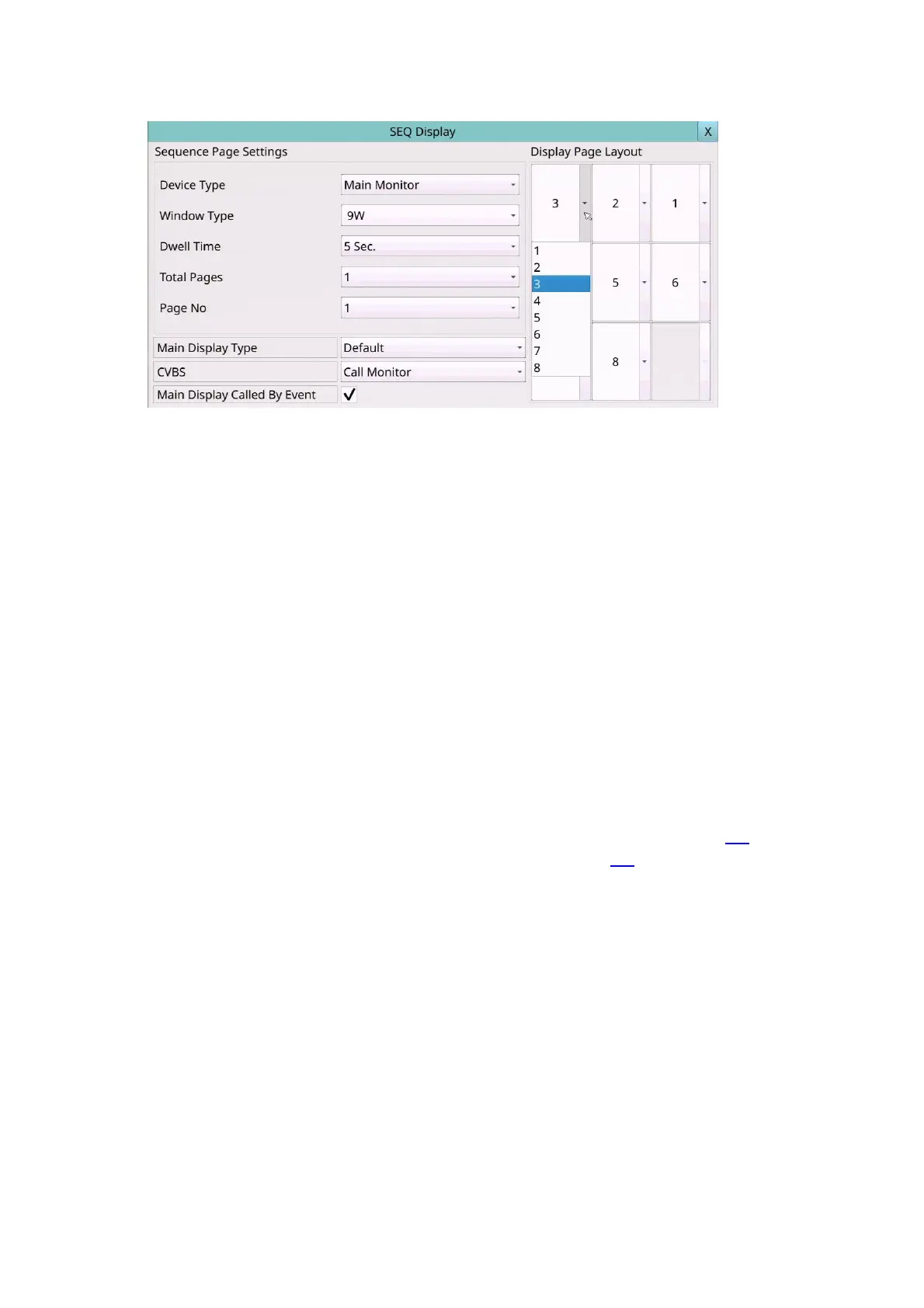
Main Display Type – “Default” for default main display type and “SEQ” for main
display to use SEQ settings.
CVBS – CVBS out for “Main Monitor” or “Call Monitor”.
Main Display Called By Event – to switch the main monitor to the video of the event
camera or not.
Application of SEQ display settings - how to make different monitors see their
respective channels.
We can set the Main monitor (HDMI/VGA) and the Call monitor (CVBS) to see the total
number of pages and the camera channels under different window types.
For example, for a 16CH device, the main monitor can be limited to one page at 9W,
CH1~CH9, and the call monitor can be limited to two pages at 4W, CH10~CH16. This
allows different monitors to see their respective channels.
The main monitor display can also be controlled by Covert of camera setup 6.1 or
Monitor Channel of advanced user setup in Password Setup 6.6.



 To Next Page