Following is a brief description for each item and its specific operations:
Local Guest Level – the local access level (Administrator, Supervisor, Operator, -, or
any user) without login the system.
Remote Guest Level – the remote access level without login the system.
Auto Logout – auto logout, if there’s no user’s operation in 1 minute to 24 hours, or
not (“-“).
Login Name – please follow the Text Input method described in Section 4.1 to modify
this item.
Password – this item accepts numbers only. Please follow the Text Input method
described in Section 4.1 to modify this item.
Level – the password level (Administrator, Supervisor, Operator, or Customized) for
this user.
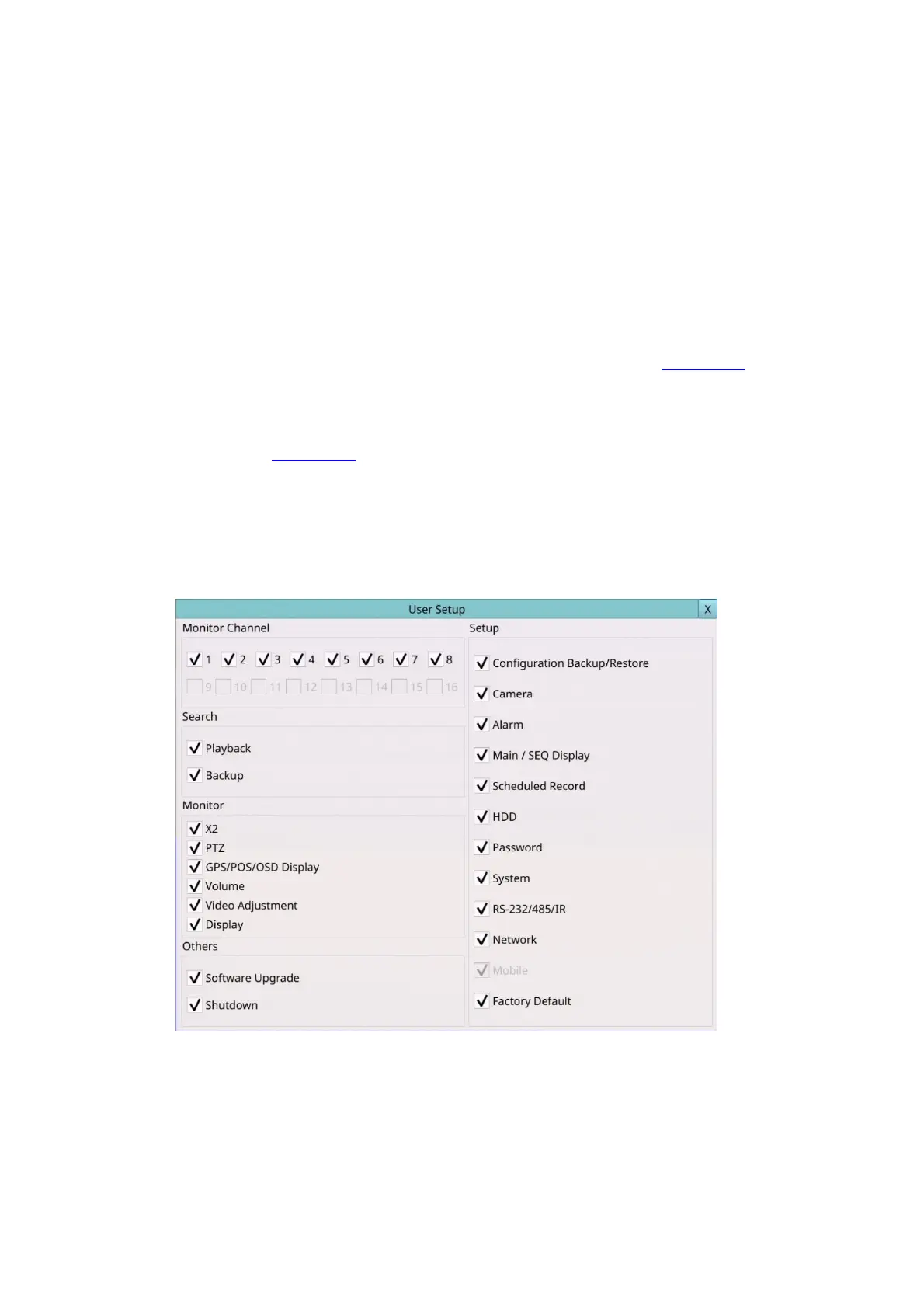
Adv. – press … (Mouse: Left click) to call up Advanced User Setup as shown below.
The Advanced User Setup allows the administrator to setup each user’s detailed access
right of the system.
The general operations are as below:
Mouse: Click in the respective item
Select the items to set.



 To Next Page