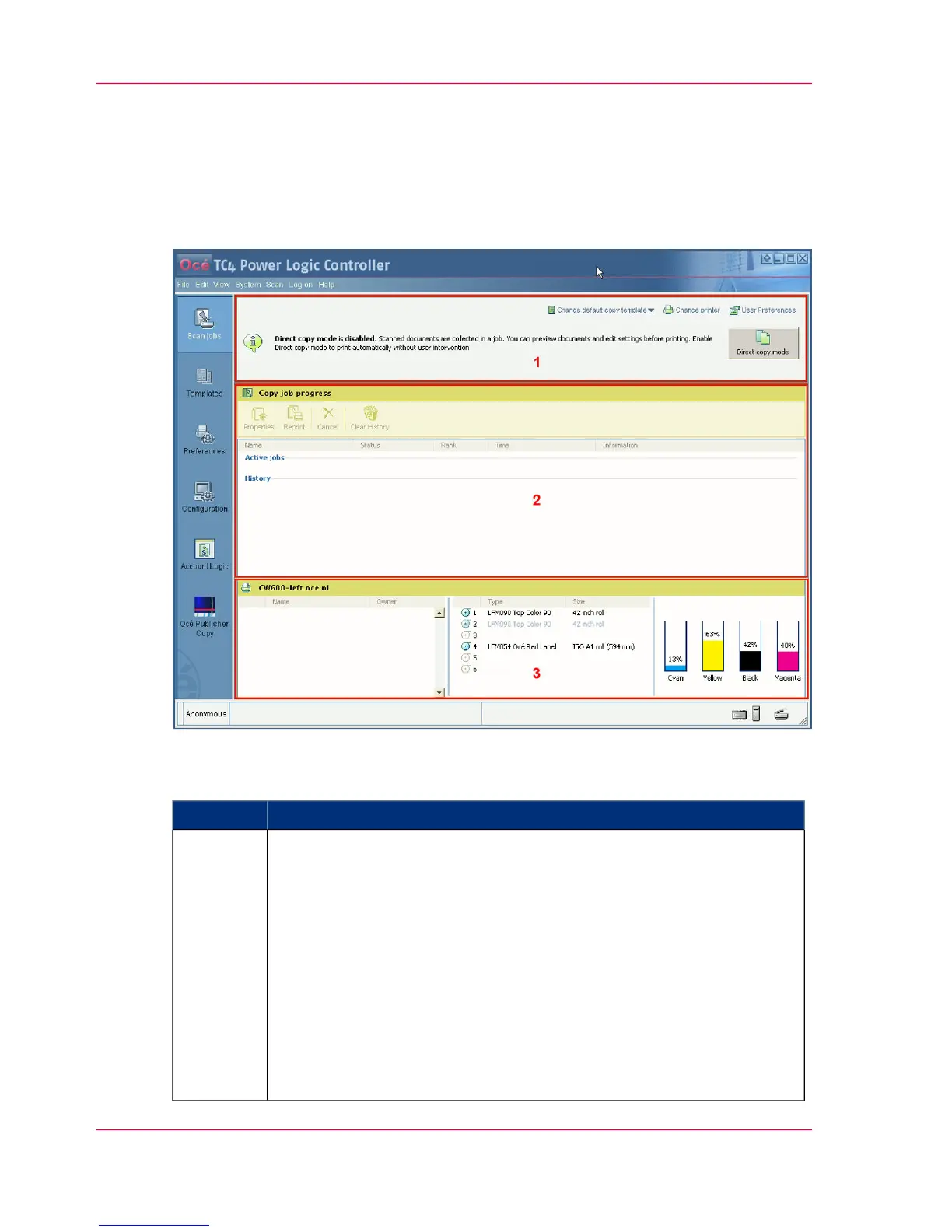
Overview of Océ Publisher Copy
The Océ Publisher Copy sections
When you access the Océ Publisher Copy workspace, the following sections are displayed.
#
DescriptionSection
The default settings section.
In this section you can configure the default Océ Publisher Copy settings.
■
Set the User preferences.
(see ‘'User Preferences'’ on page 104)
■
Change the printer.
(see ‘'Change printer'’ on page 105)
■
Change the default copy template.
(see ‘Print (copy) template definition’ on page 107)
(see ‘Set the default behaviour for the media selection’ on page 108)
■
Enable or disable 'Direct copy mode'.
(see ‘Enable or disable 'Direct copy mode'’ on page 111)
1
Chapter 5 - The Océ Publisher Copy option102
The Océ Publisher Copy sections



 To Next Page