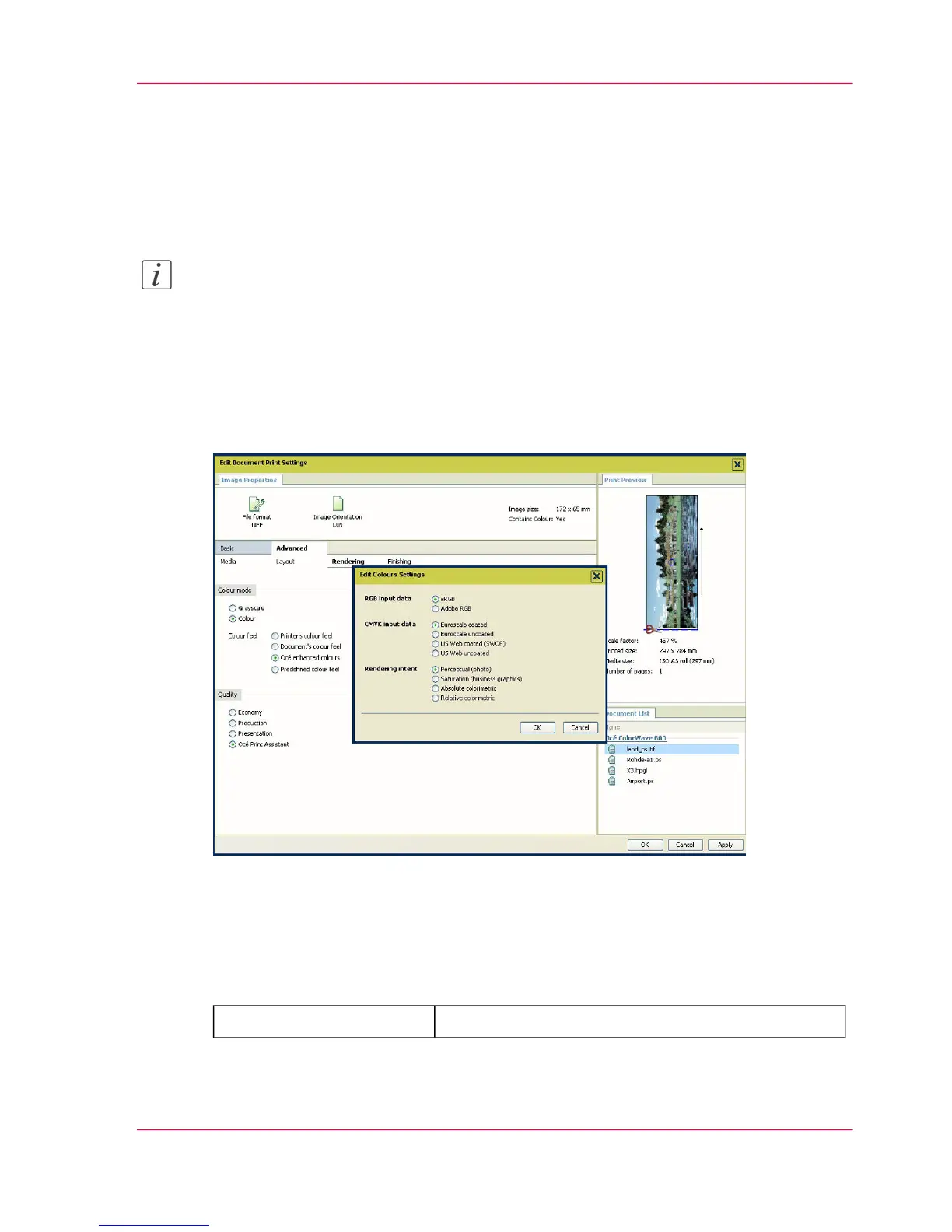
'Advanced' / 'Rendering' settings
Introduction
You can tune the color settings and rendering options.
Note:
For Océ Publisher Copy it is advised to define the following color settings.
■
'Color mode': 'Océ enhanced colors'
■
'RGB input data': 'sRGB'
■
'Rendering intent': 'Relative colorimetric'
Illustration
'Color mode'
Define if the document is printed in Color or in Black and White.
When you select 'Color', you are invited to define the 'Color mode'. Select:
#
to use the default value set on the printer.'Printer's color feel'
Chapter 5 - The Océ Publisher Copy option 139
'Advanced' / 'Rendering' settings



 To Next Page