Print (copy) template definition
Definition
In a print (copy) template you can define a set of default print settings for a copy job.
A built-in print (copy) template is provided by default (Océ Publisher Copy default
template). It cannot be changed or deleted.
You can create, edit, rename and delete your own print (copy) templates.
You can set any created print (copy) template as the default template.
Content of a template
In a template, you can define the default values for:
■
the specific settings of each 'File format'
■
the 'Image' settings ('Image orientation' and 'Legend position' - detailed in ‘ 'Image
Properties'’ on page 127)
■
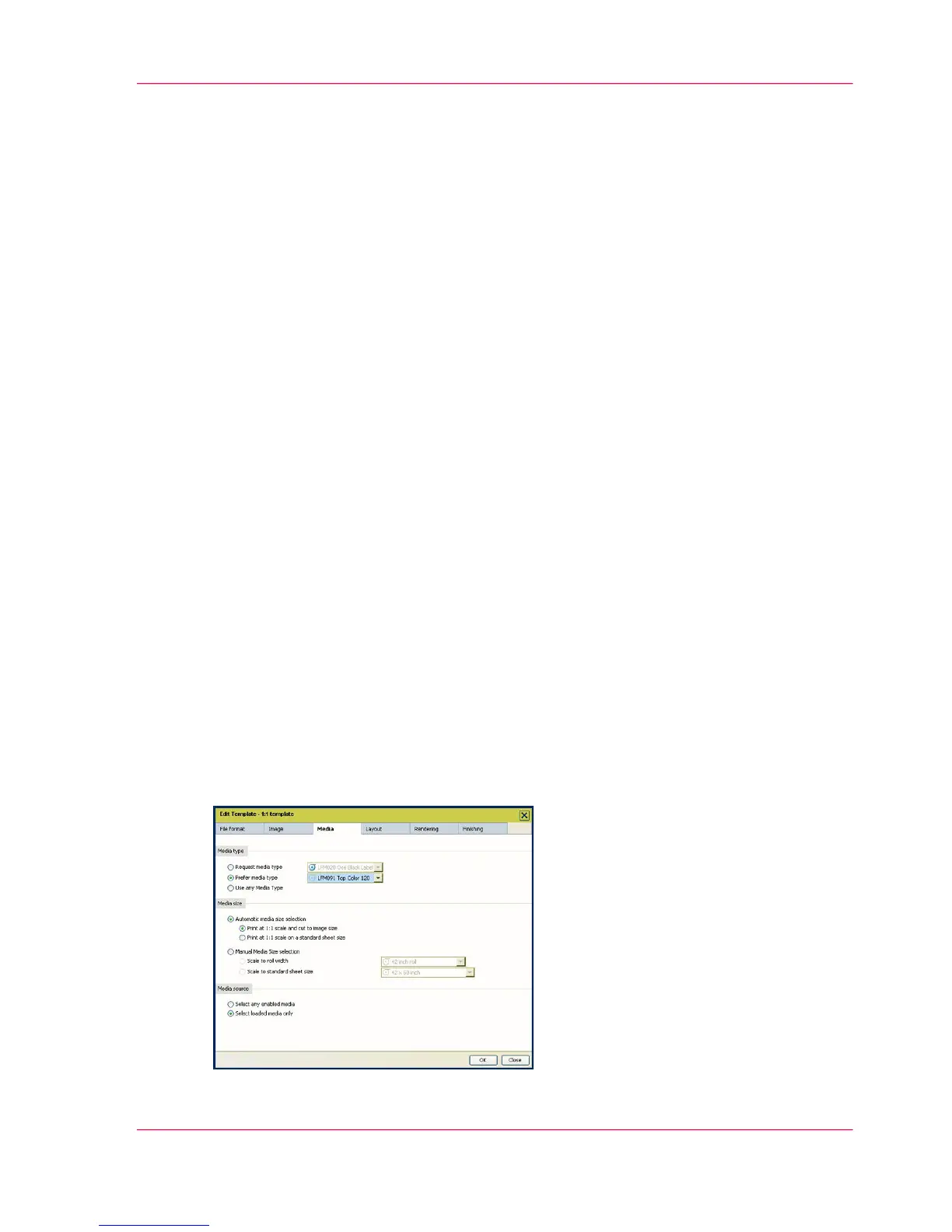
the 'Media' settings (see ‘Set the default behaviour for the media selection’ on page 108)
■
the 'Layout' settings ('Orientation of the image on the media', 'Alignment' and
'Margins' - detailed in Layout settings on page 136)
■
the 'Rendering' settings ('Color mode' and 'Quality' - detailed in Rendering settings
on page 139)
■
the 'Finishing' settings ('Additional strips', 'Finishing options' and 'Delivery destination'
- detailed in Finishing settings on page 142)
The system will apply by default these rules and values to all documents of every new
job.
Illustration
Chapter 5 - The Océ Publisher Copy option 107
Print (copy) template definition



 To Next Page