30
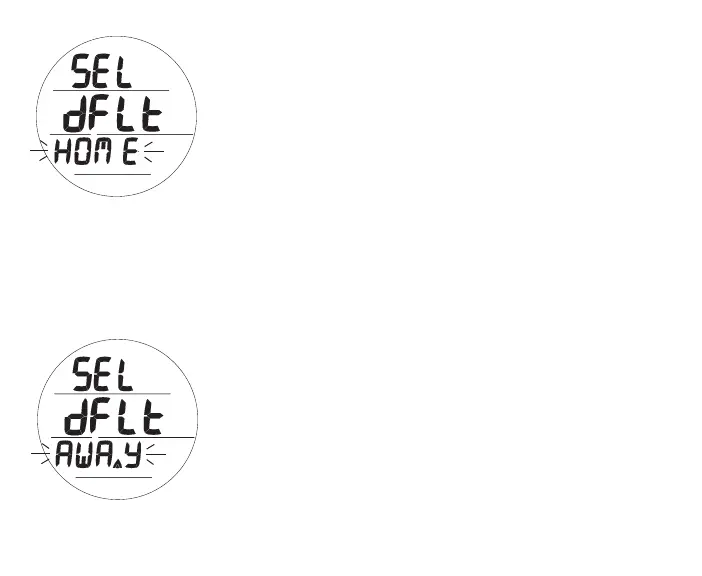
Select Default Time, information includes (Fig. 23A/B):
This feature selects which Time, Home or Away**, is to be
displayed as the Watch Main (Default) Time (in the center of the
Watch Time screen)*.
*The other will be displayed (at the top of the Watch Time screen) when
a Dual Time (differential) is set and Display Dual Time is set On.
> Graphics SEL and dFLT
> Graphic HOME (or AWAY*) flashing
**The Up Arrow icon is used (only while in Watch mode) to indicate
that Away Time is selected as the Watch Default Time (in the center).
• A (< 2 sec) - to toggle between HOME and AWAY.
• S (< 2 sec) - to save Set Point and access Set Dual Time
Differential.
• S (2 sec) - to revert to Set Hour Format.
HOME is the time where you live, work, spend most of your time.
AWAY is the time set for a travel destination.
DEFAULT is the time you choose as the Watch's local main time (Home or Away).
DUAL is the time at the other remote location (Away or Home).
Fig.23A-SELECTHOME
(asWatchDefaultTime)
Fig.23B-SELECTAWAY
(asWatchDefaultTime)



 To Next Page