31
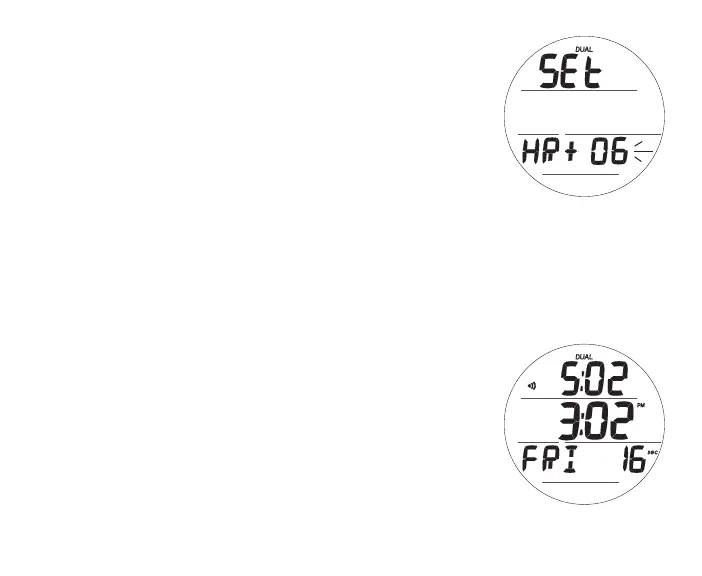
Set Dual Time Differential, information includes (Fig. 24):
This feature allows you to set an Hour based numeric time Dif-
ferential ranging from - 23 through 0 to + 23 (hours).
This feature provides a second (Dual) Time equal to the Watch's
Default Time of Day +/- the Hours selected.
> Graphics SEt and HR
> Graphic OFF or the Differential numeric digits with + (or - )
icon flashing
> Away Time (Up Arrow) icon if Away is the Watch Default
Time, no icon if Home is the Default
• A (hold) - to scroll upward through the Set Points at a rate
of 8 per second from - 23 through 0 to + 23 in increments
of 1 (hour).
• A (< 2 sec) - to step upward through Set Points one at a
time.
• M (< 2 sec) - to step back through Set Points one at a time.
• S (< 2 sec) - to save the Differential Set Point and revert to
the Set Time Menu.
Example (Fig. 25):
-> Watch Time displays 3:02 PM.
-> Dual Time Differential is set for + 2 Hours.
-> Dual Time would be displayed as 5:02.
Fig.24-SETDUALTIME
(hourdifferential)
Fig.25-WATCHTIME
(DualTimesetandOn)



 To Next Page