25
CHRONOGRAPH
The Chronograph is a stop watch timer for use in Watch mode.
While the Chronograph is running, it remains on the screen until
another screen is accessed, it will then continue to run in the
background while on the surface.
Upon activation of dive mode, Chrono operation will be termi-
nated and the time will reset to 0:00:00_00.
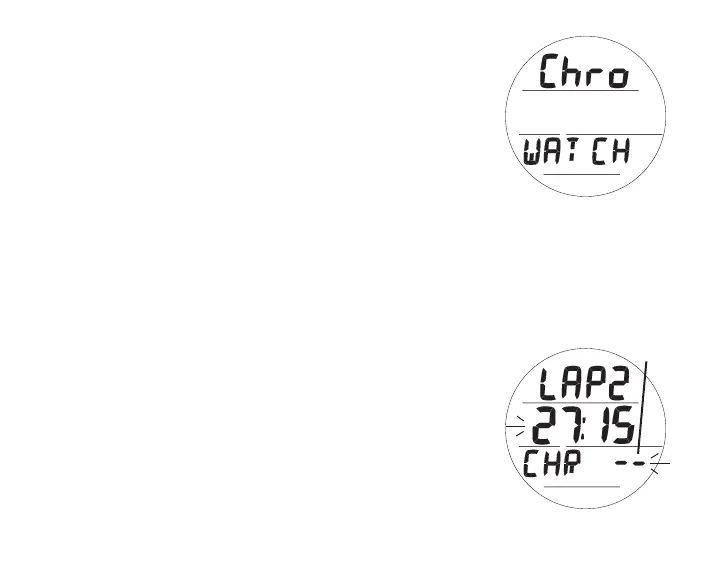
Chrono Lead-in, information includes (Fig. 13):
> Graphics Chro and WATCH
• S (< 2 sec) - to access Chrono Status.
• A (< 2 sec) - to step forward to Daily Alarm Lead-in.
• M (< 2 sec) - to step back to CDT Lead-in.
Chrono Status, information includes (Fig. 14):
> Graphics LAP1 (or 2 to 9) and CHR
> Elapsed run time counting up (if previously started), or
0:00:00_00 (hr:min:sec_1/100th sec), flashing
• If stopped, S (< 2 sec) - to start Timer counting up from
0:00:00_00 to 9:59:59_99 max in increments of .01 sec.
After first 4.99 seconds, the .01 digits display 2 dashes.
Fig.13-CHRONOLEAD-IN
Fig.14-CHRONOSTATUS
(Lap2inprogress)
1/100th
sec



 To Next Page