22
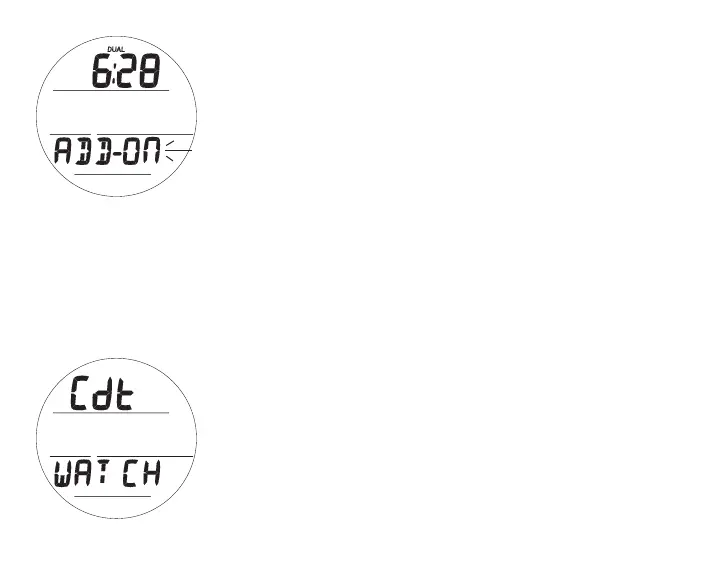
Display Dual Time, information includes (Fig. 7):
> DUAL icon
> Dual Time (hr:min), if set by hour differential (a Set T item),
or 3 dashes ( - : - - ) if none set
> Graphic ADD -
> Set Point graphics* ON (or OFF) flashing
• A (< 2 sec) - to toggle* between ON and OFF.
• S (< 2 sec) - to save the setting and revert to Lead-in.
• S (2 sec) - to step back to Lead-in, if no change.
*OFF only with no toggle if no Differential has been set.
CDT (Countdown Timer)
This selection provides access to a CDT for use in Watch mode.
Upon accessing a dive computer mode, the Watch CDT opera-
tion will be terminated and the time reset to the previous setting.
> Free Mode has a separate (min:sec) CDT.
CDT Lead-in, information includes (Fig. 8):
> Graphics Cdt and WATCH
• S (< 2 sec) - to access CDT Status.
• A (< 2 sec) - to step forward to Chrono Lead-in.
• M (< 2 sec) - to step back to Dual Time Lead-in.
Fig.7-DISPLAYDUALTIME
(toshowonMain)
Fig.8-CDTLEAD-IN



 To Next Page