23
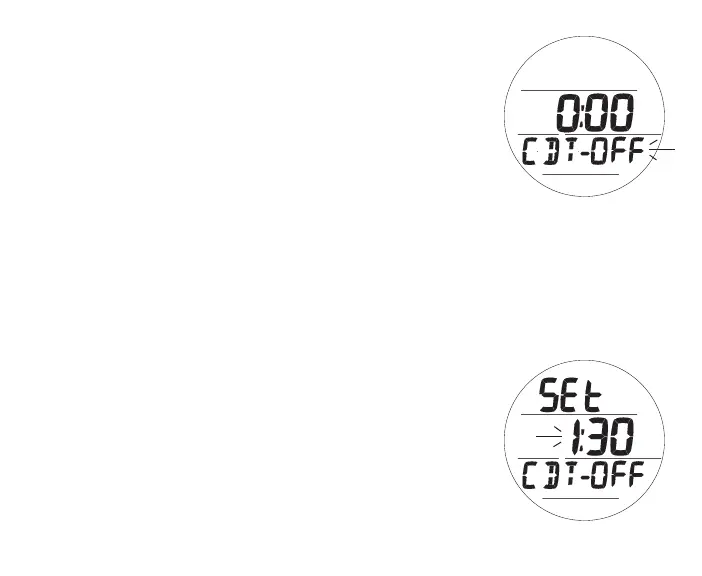
CDT Status, information includes (Fig. 9):
> Remaining CDT (hr:min) with ON, if in progress; or
0:00 with OFF if the CD is complete; or
CDT previously set with OFF
> Graphic CDT - OFF (or ON)
• A (< 2 sec) - to step forward through selections of OFF,
ON, and SET.
• M (< 2 sec) - to step back through selections.
• S (< 2 sec) - to save the selection.
>> If OFF or ON is selected, revert to the Lead-in screen.
>> If SET is selected, access the Set CDT screen.
Set CDT, information includes (Fig. 10):
> Graphics SEt and CDT - OFF
> CDT (hr:min) with Hour digits flashing
• A (hold) - to scroll upward through Hour Set Points at a rate
of 8 per second from 0: to 23: in increments of 1: (hr).
• A (< 2 sec) - to step upward through Set Points one at a
time.
• M (< 2 sec) - to step back through Set Points one at a time.
• S (< 2 sec) - to save the Hour Set Point and flash the Minute
digits.
Fig.9-CDTSTATUS
Fig.10-SETCDT



 To Next Page