42
PLAN MODE (NORM)
No Deco Dive Times (NDLs/OTLs) in Plan Mode are based on -
> the algorithm selected (DSAT or PZ+)
> the FO2 set (for Gas 1 only, the default for Plan)
> the setting for the Conservative Factor (Off or On*)
> any residual nitrogen or oxygen remaining from previous
dives (NORM or FREE)
*When the Conservative Factor is set On, Dive times are reduced to the values
of the next higher 3000 foot (915 meter) Altitude. Refer to tables in back.
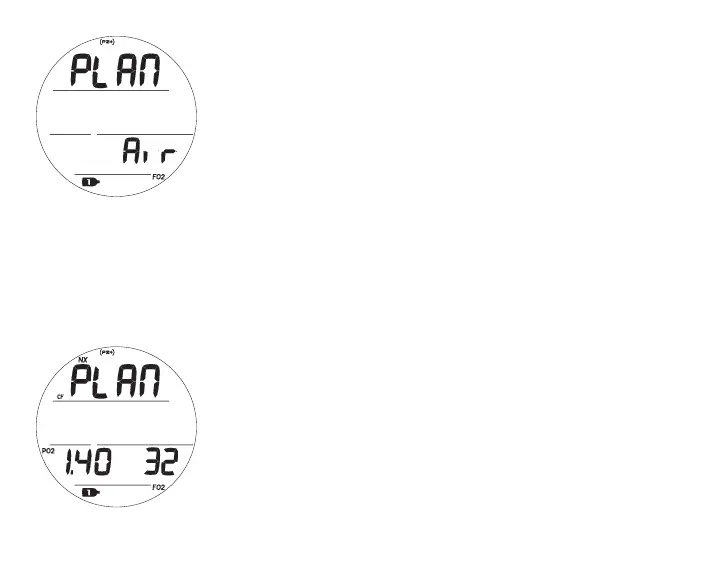
Plan Lead-in, information includes (Fig. 34A, B):
> Graphic PLAN
> PO2 alarm value set (ATA) with PO2 icon, blank if Air
> Gas 1 FO2 Set Point, graphic Air or numeric value (21 to
100), with FO2 and Gas 1 icons
> NX icon, if FO2 is set for Nitrox
> (PZ+) icon, if selected, no icon if DSAT is selected
> CF icon, if Conservative Factor is set On
> Gas 1 icon, default for Plan
• A (< 2 sec) - to access Log.
• A (hold) - to scroll forward through Menu items.
• M (< 2 sec) - to step back to FLY/SAT.
• S (< 2 sec) - to access PDPS.
• L (press) - to activate Backlight.
Fig.34A-PLANLEAD-IN
(Gas1setforAir)
Fig.34B-PLANLEAD-IN
(Gas1setforNitrox)



 To Next Page