56
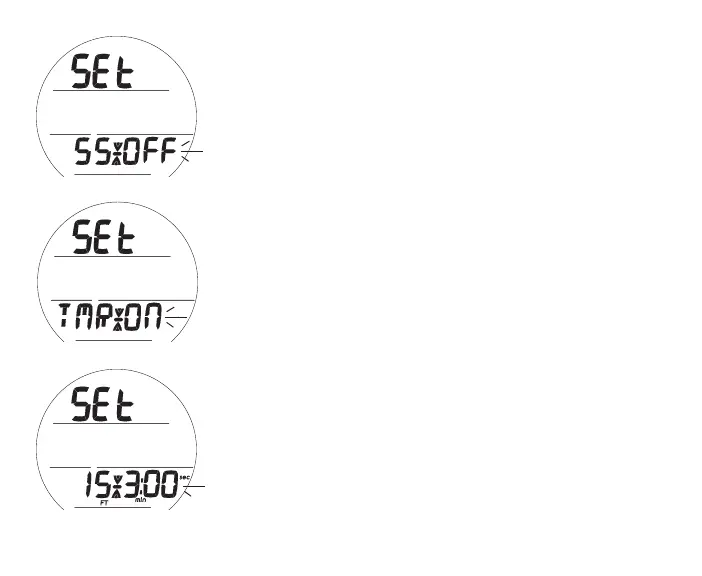
Set Safety Stop (SS), information includes:
> Graphic SEt with Stop arrow/bar icons
> Graphic SS with Set Point ON (or OFF) flashing, or graphic
TMR with ON flashing
• A (< 2 sec) - to step forward through the Set Points (SS OFF,
SS ON, TMR ON.
• S (< 2 sec) - to save the setting.
• S (2 sec) - to revert to Set DS.
>> If SS OFF (Fig. 56A) or TMR ON (Fig. 56B) is selected,
operation shall access Set Algorithm.
>> If SS ON is selected (Fig. 56C), Stop Depth and Time is
displayed with the min and sec icons, Time flashing.
• A (< 2 sec) - to toggle Stop Time Set Points between 3:00
and 5:00 (min:sec).
• S (< 2 sec) - to save the Stop Time setting and flash the Stop
Depth digits.
• A (< 2 sec) - to step up through Depth Set Points of 10, 15,
and 20 FT (or 3, 4, 5, and 6 M) one at a time
• S (< 2 sec) - to save the Stop Depth setting and access Set
Algorithm.
Fig.56A-SETSSOFF
Fig.56C-SETSS
TIME/DEPTH
Fig.56B-SETSSTIMER



 To Next Page