81
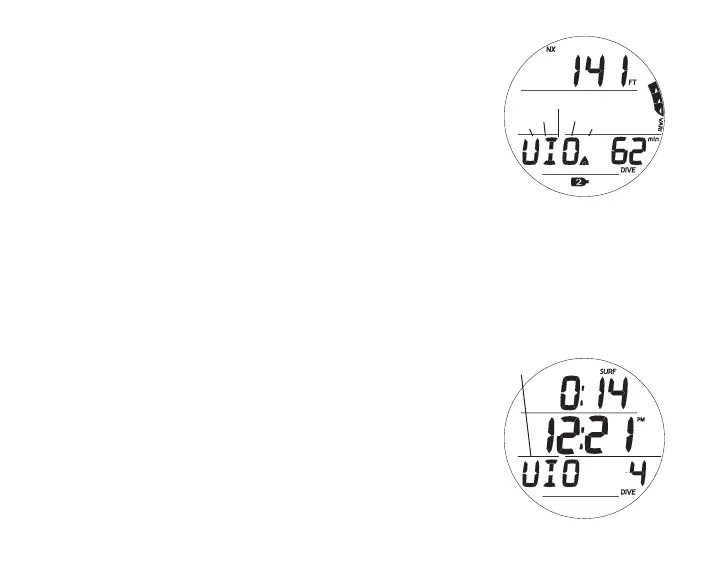
VGM Dive Main, information includes (Fig. 90) -
> Current Depth with FT (or M) icon
> Graphic VIO (in place of Max Depth which moves to Alt 1)
with Up Arrow icon, flashing until on surface
> EDT with DIVE and min icons
> NX, Gas icons - if they apply
> VARI while ascending
• A (< 2 sec) - to access ALTs (similar to those for Deco).
• S (< 2 sec) - to acknowledge alarm.
• M (2 sec) - to access Gas Switching.
VGM on Surface
Upon surfacing, the VGM Dive Main will remain on display for
10 minutes with Surface Interval Time displayed in place of Cur-
rent Depth with the SURF icon flashing. The graphic VIO will
also still be displayed flashing.
Operation will also enter VGM 5 minutes after surfacing from a
dive in which a Delayed Violation occurred.
After 10 minutes elapse, VIO alternates with NOR (Fig. 91) until
24 hours elapse with no dives. Watch functions are as normal.
> A full 24 hour continuous surface interval must then be
served before all dive computer functions are restored.
Fig.90-VGMMAIN
(afterAudible)
Fig.91-VGMSURFMAIN
altw/
NOR



 To Next Page