42
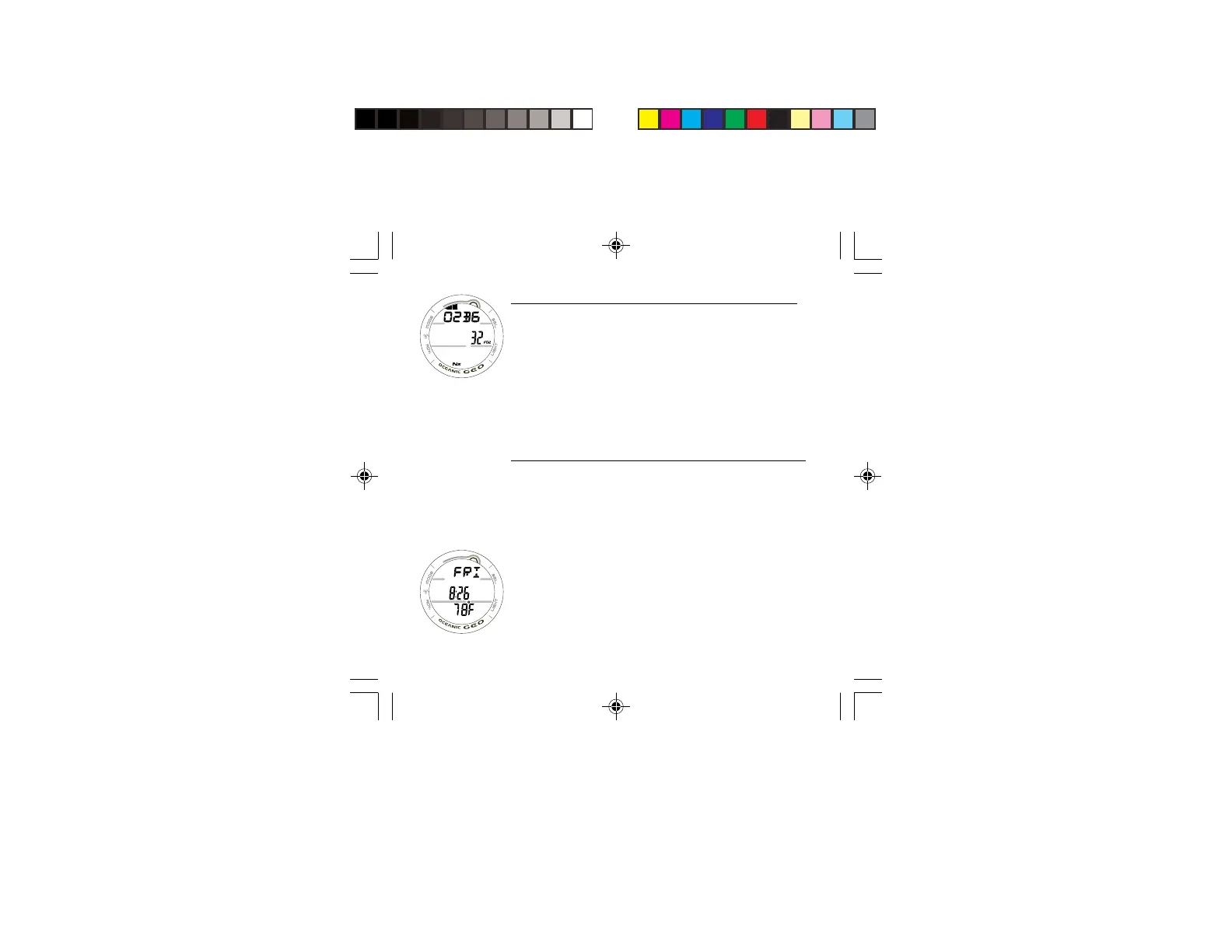
NORM SURF ALTERNATE, information includes (Fig. 34):
> Bar Graph with the graphic O2BG, representing Oxygen
accumulation.
> FO2 Set Point with FO2 icon.
> Nx icon.
• The display will revert to the NORM SURF MAIN screen
after 5 seconds unless the A button is pressed.
• Pressing and releasing the A button momentarily (< 2
seconds) will access the SECONDARY screen.
• Pressing the L button will activate the Backlight.
NORM SURF SECONDARY, information includes (Fig. 35):
> Day of the Week graphic (SAT, SUN, MON, TUE, WED,
THU, FRI).
> Time of Day (hr:min).
> Temperature with degree icon and graphic F (or C)
• The display will revert to the NORM SURF MAIN screen
after 5 seconds unless the A button is pressed.
• Pressing and releasing the A button momentarily (< 2
seconds) will revert to the NORM SURF MAIN screen.
• Pressing the L button will activate the Backlight.
Fig. 34 - NORM SURF
ALTERNATE
Fig. 35 - NORM SURF
SECONDARY



 To Next Page