68
• Depressing and holding the M button for 2 seconds or if
no button is pressed during a 2 minute period operation
will revert to the NORM (or GAUG) SURF MAIN screen.
• Pressing the L button will activate the Backlight.
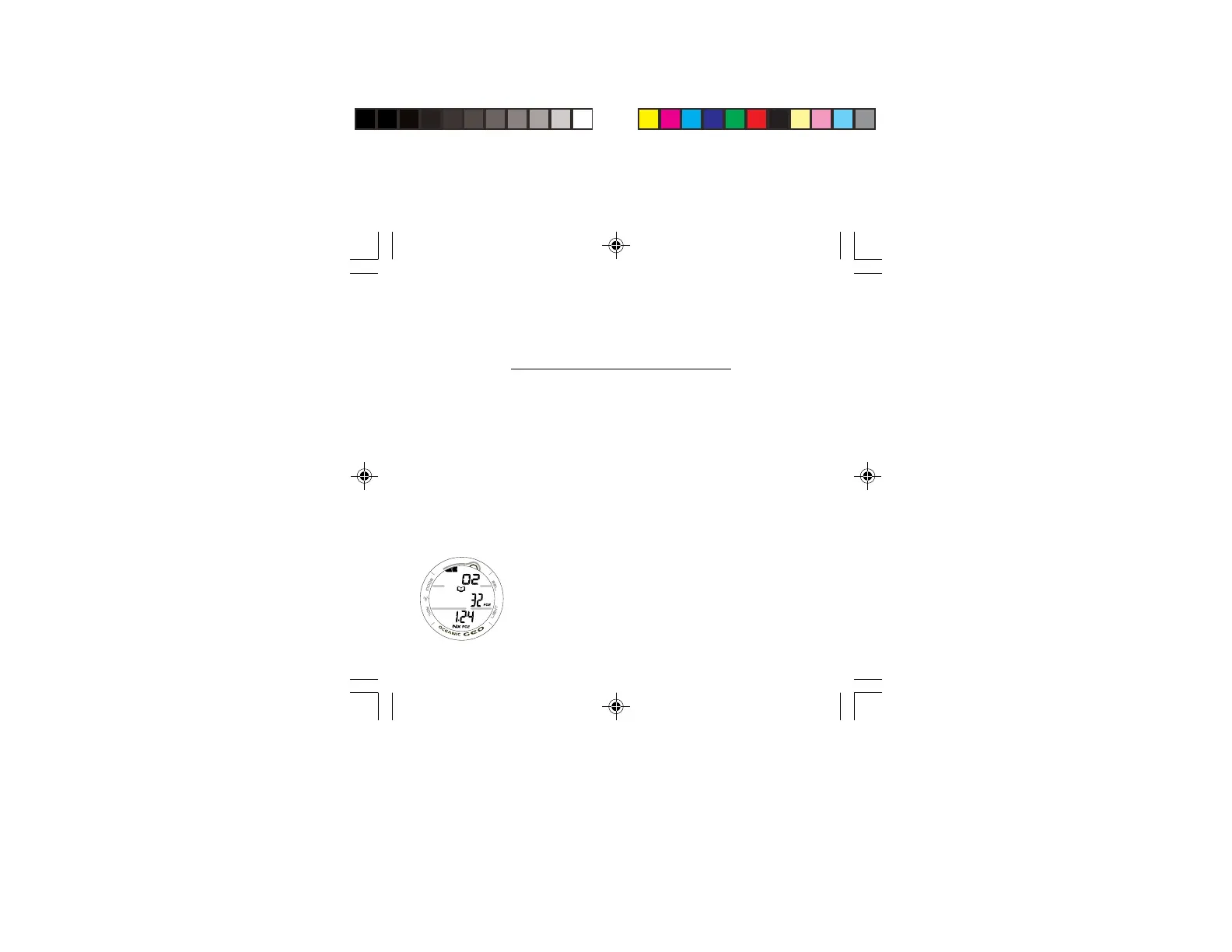
LOG DATA 3, information includes (Fig. 61):
This screen will only be displayed for NORM Nitrox dives,
bypassed for AIR, GAUG, and Violation dives.
> O2BG, segments representing Oxygen accumulated at the
end of the dive with graphic O2.
> Log icon.
> FO2 (%) set for that dive with FO2 icon.
> Value of Max PO2 achieved (x.xx ATA) with PO2 icon.
> Nx icon.
• Pressing and releasing the S button momentarily (< 2
seconds) button will advance to the previous dive's LOG
PREVIEW screen.
• Depressing and holding the M button for 2 seconds or if
no button is pressed during a 2 minute period operation
will revert to the NORM (or GAUG) SURF MAIN screen.
• Pressing the L button will activate the Backlight.
Fig. 61 - LOG DATA 3



 To Next Page