67
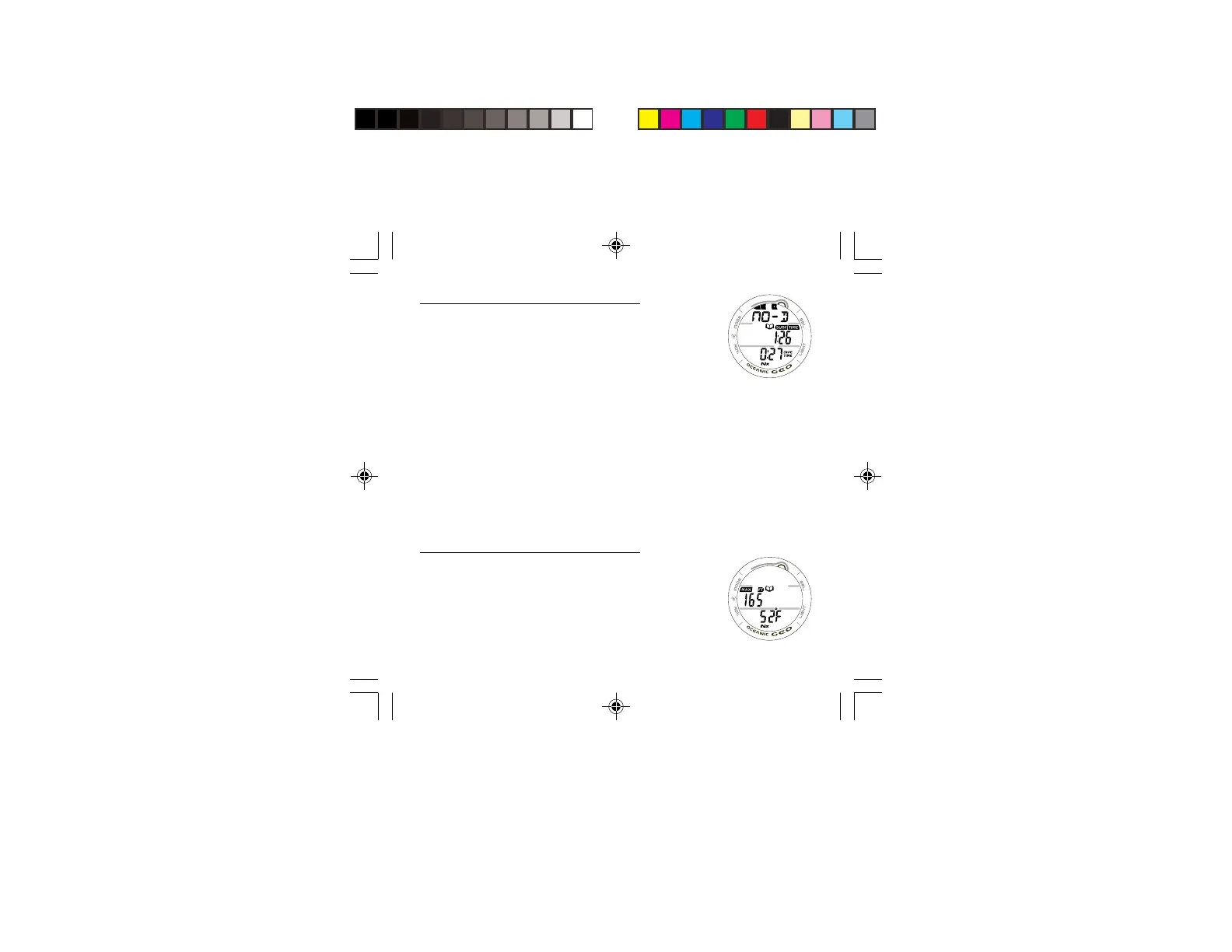
LOG DATA 1, information includes (Fig. 59):
> TLBG with the maximum accumulation segment flashing,
others fixed up to end-of-dive accumulation. All segments
flashing if a Violation occurred.
> Graphic NO-D, DECO, GAUG, or VIOL indicating the
type of dive when completed.
> Log icon.
> Pre dive Surface Interval time (hr:min) with SURF and TIME
icons, ‘blank’ for Dive #1 of a series.
> Elapsed Dive Time (hr:min) with DIVE and TIME icons.
> Nx icon, if FO2 was set for Nitrox.
• Pressing and releasing the S button momentarily (< 2
seconds) button will advance to the LOG DATA 2 screen.
• Depressing and holding the M button for 2 seconds or if
no button is pressed during a 2 minute period operation
will revert to the NORM (or GAUG) SURF MAIN screen.
• Pressing the L button will activate the Backlight.
LOG DATA 2, information includes (Fig. 60):
> Log icon.
> Maximum Depth achieved with MAX and FT (or M) icons.
> Temperature (minimum recorded that dive) with degrees
icon and graphic F (or C).
> Nx icon, if FO2 was set for Nitrox.
• Pressing and releasing the S button momentarily (< 2
seconds) button will advance to the LOG DATA 3 screen.
Fig. 59 - LOG DATA 1
Fig. 60 - LOG DATA 2



 To Next Page