24
Getting started
1
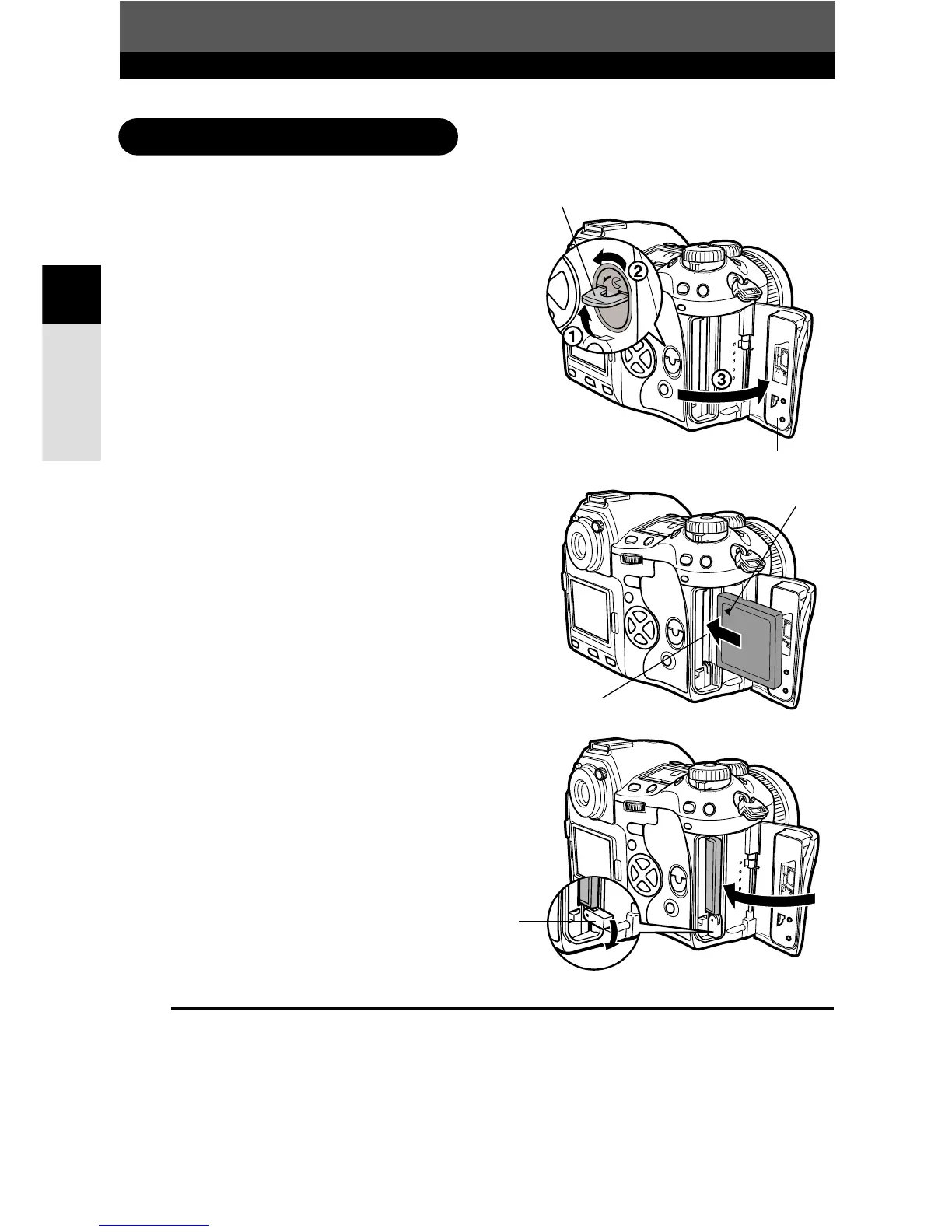
Inserting the card
1
Turn the card cover lock in the direction
of the arrow and open the card cover.
2
Insert the card fully with the ß mark
side facing toward the monitor side (the
camera’s rear side) as illustrated.
3
Close the card cover.
● When the eject button is projecting, push it
back in.
Inserting a card
How to insert/remove the card
ß Mark
Card cover
Card cover lock
Card slot
TIPS
After inserting the card, if CARD ERROR appears on the monitor, and the camera cannot
read the images in the card.
T Format the card on the camera, or run SCANDISK on a PC.
~ “FORMAT (CARD SETUP)” (P. 130)
Eject button


 To Next Page