Transferring images to a computer
156
11
Disconnecting the camera from your computer
1
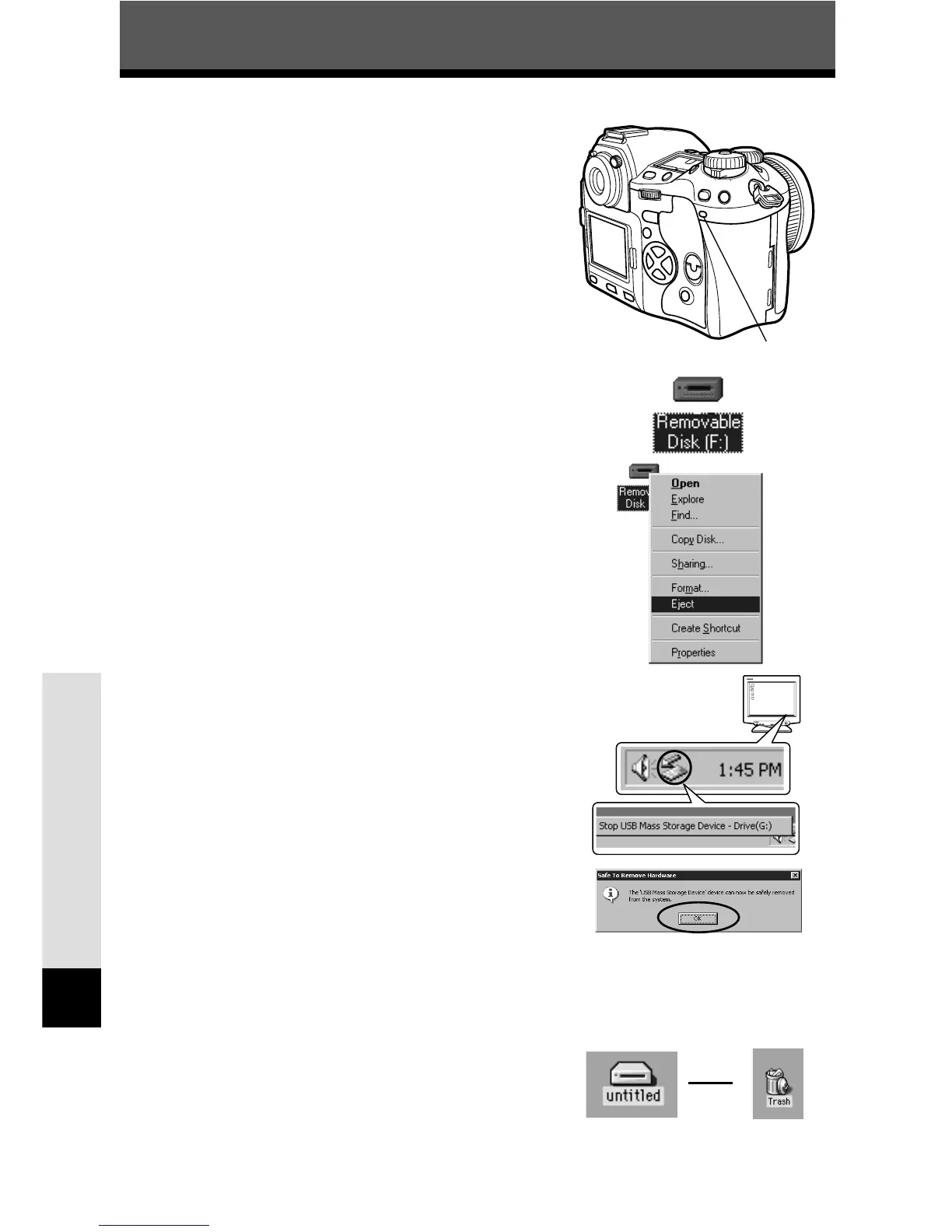
Make sure that the card access lamp goes
out.
2
Windows 98:
1 Double-click the [My Computer] icon and
right-click the [Removable Disk] to display
the menu.
2 Click [Eject] on the menu.
Windows Me/2000/XP:
1
In the System Tray, single-click the Remove
Hardware icon.
2 Single-click on the message [Stop USB Mass
Storage Device]. (with USB connection)
3 Click [OK] on the window [USB Mass Storage
Device can now be safely removed from the
system].
Macintosh:
Drag the [untitled] (or [NO_NAME]) icon on the
desktop to [Trash].
Card access lamp
å


 To Next Page