125
8
Customizing the settings/functions of your camera
Compensating all WB
This lets you apply the same compensation value to all the white balance
modes at once.
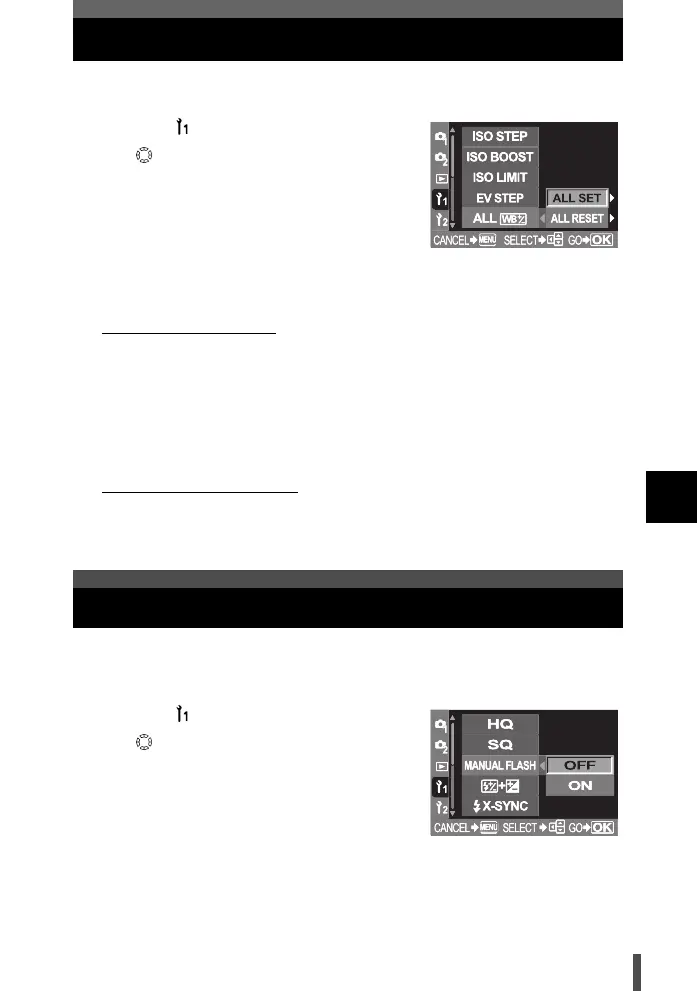
1 Menu [] [ALL >]
2 Use to set.
[ALL SET] The same compensation value
applies to all WB modes.
[ALL RESET] The WB compensation value
settings applied to each WB
mode are all cleared at once.
3 Press the i button.
4 Do the following steps depending on the setting you want.
If you select [ALL SET]
1) Use bd to select the color direction.
R-B Red-Blue
G-M Green-Magenta
2) Use ac to set compensate value.
g "WB Compensation" (P. 91)
• You can check the white balance you have adjusted.
If you select [ALL RESET]
1) Use ac to select [YES].
5 Press the i button.
This allows the built-in flash to output a fixed amount of light. With [MANUAL
FLASH] set to [ON], you can set the amount of light (FULL, 1/4, 1/16, or 1/64)
in the flash mode setting.
1 Menu [] [MANUAL FLASH]
2 Use to select [ON] or [OFF].
3 Press the i button.
Manual flash
s0004_e_Advanced.book Page 125 Tuesday, September 27, 2005 4:15 PM













 To Next Page