160
Connecting the camera to a computer
10
Transferring images to a computer
5 The computer recognizes the
camera as a new device.
•Windows
When you connect the camera to the
computer for the first time, the
computer automatically recognizes the
camera.
Click [OK] when the message saying
that the installation is completed
appears.
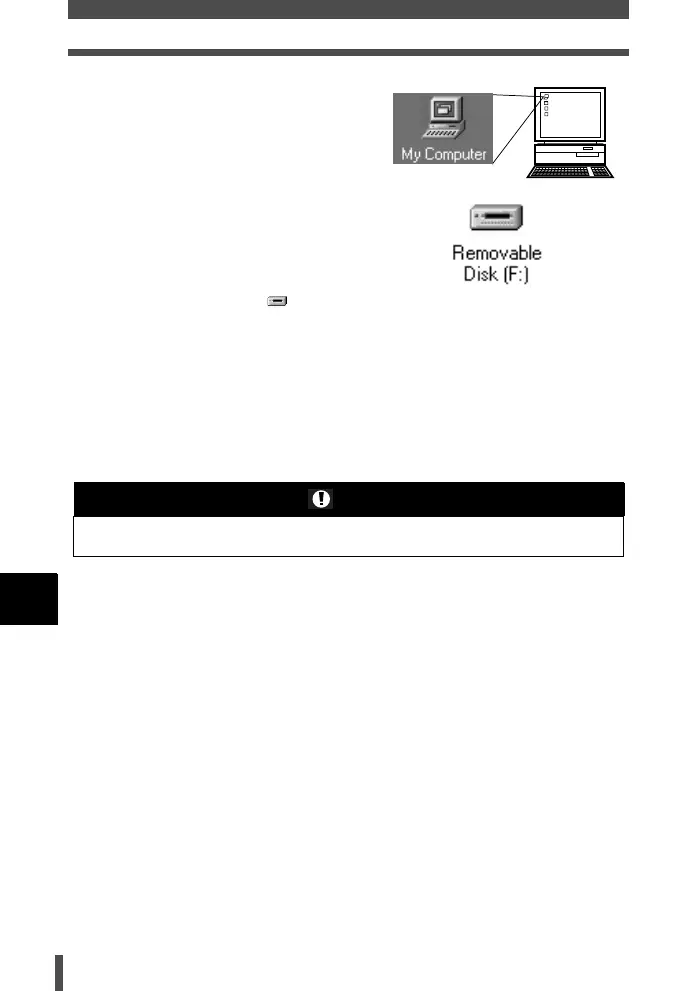
The computer recognizes the camera
as a [Removable Disk ].
•Macintosh
iPhoto is the default image
management application for Mac OS.
When you connect your Olympus
digital camera for the first time, iPhoto
will start up automatically. Close
iPhoto and start OLYMPUS Master.
Notes
• When the camera is connected to the computer, none of the camera buttons are
functional.
s0004_e_Advanced.book Page 160 Tuesday, September 27, 2005 4:15 PM













 To Next Page