© 2011 Omnicell, Inc. OmniRx Service Guide/67-2023 Rev F
CT PC E-Box 6-1
Introduction
CT PC
E-Box
Introduction
This procedure will guide the user through the procedures required to remove a G4 E-Box and
replace any FRU parts within the E-Box.
Tools Required
Torx T10 driver
Torx T15 driver
Torx T20 driver
Phillips #1 screwdriver
Standard Blade Screwdriver
Cam Lock Key #2036
Cam Lock Key #2378
Open the
E-Bo
x
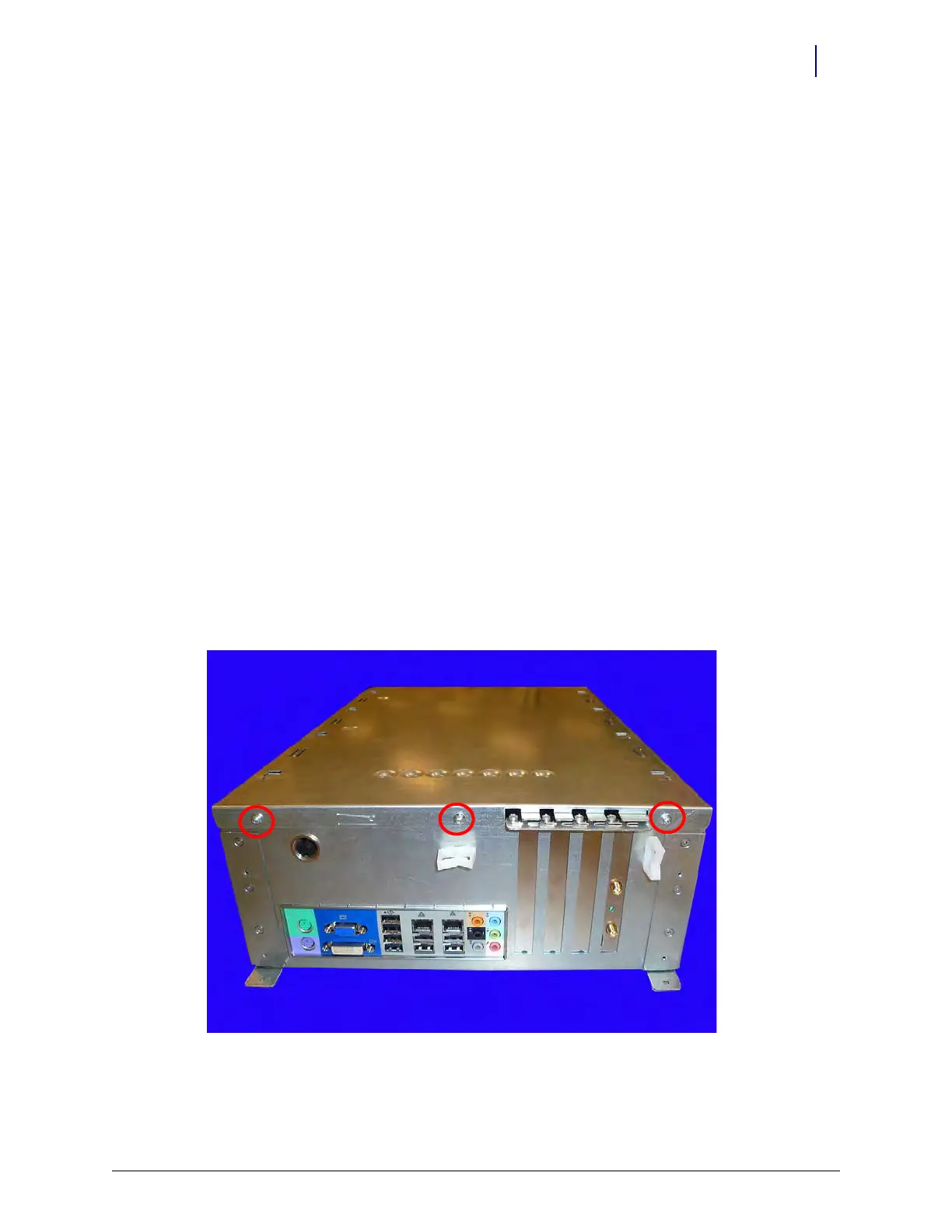
1. Remove the three screws that secure the E-Box lid.
Figure 6-1. Remove the screws that secure the E-Box lid
2. Using the finger holds in the lid, pull the lid forward and lift it to remove it from the frame.



 To Next Page