1-2 Electronics Sled
LCD Screen Removal
OmniRx Service Guide/67-2023 Rev F © 2011 Omnicell, Inc.
LCD Screen Removal
1. Lower the console into the closed position.
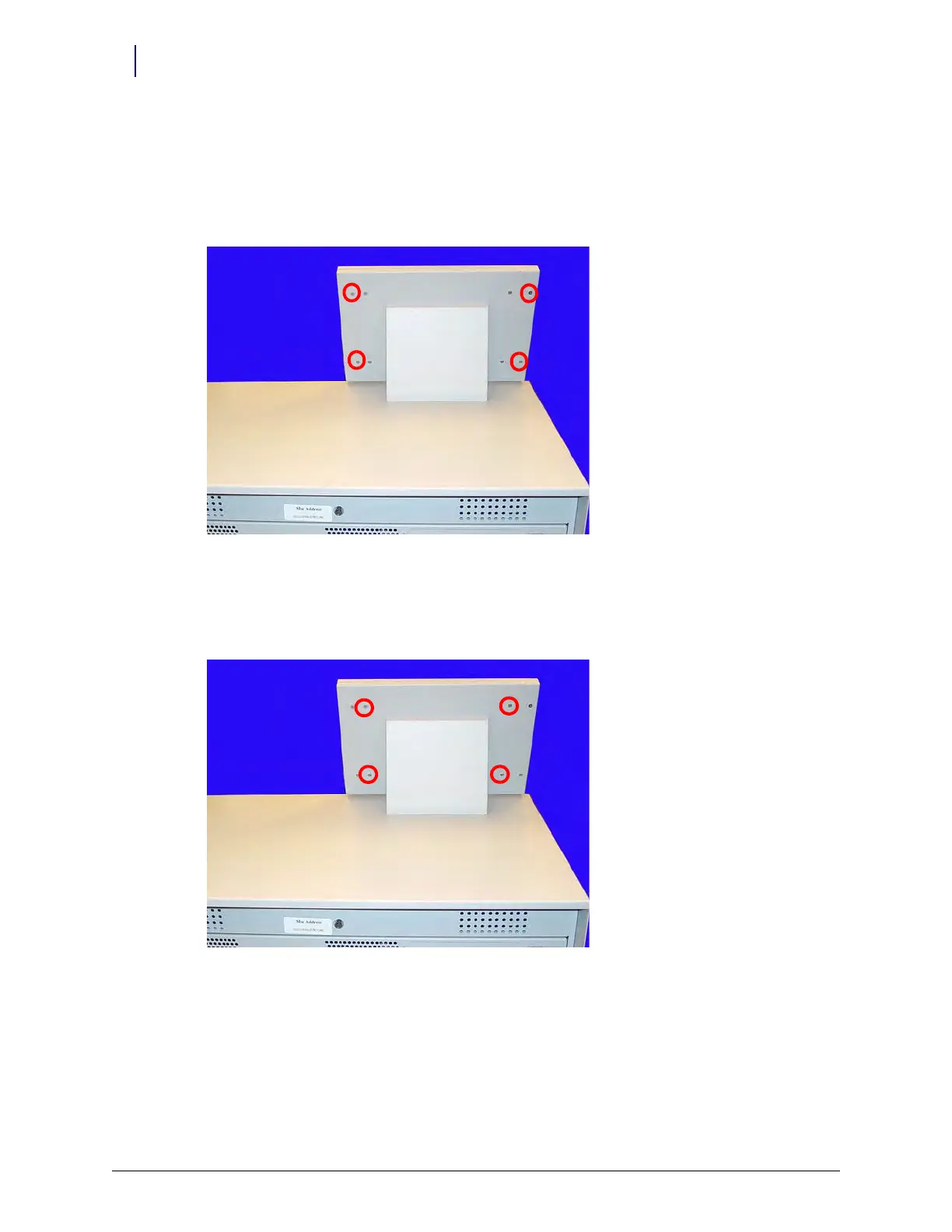
2. Remove the four outer screws that secure the LCD bezel to the console using a Torx T10
screwdriver.
Figure 1-2. Remove the four outer screws
3. Remove the bezel.
4. Remove the four inner screws at the back of the bezel. Hold onto the front of the LCD screen
while removing the screws so that the assembly does not fall.
Figure 1-3. Remove the four inner screws
5. Tilt the LCD assembly forward and disconnect the cables from the back of the LCD assembly.
a. Disconnect the inverter to power cable.
b. Disconnect the flat panel cable.
6. Remove the LCD assembly from the LCD housing.



 To Next Page