2-4 Frames and Wireways
Manual Override Cable Service
OmniRx Service Guide/67-2023 Rev F © 2011 Omnicell, Inc.
Manual Override Cable Service
Removal
1. Perform a graceful shutdown of the electronics sled.
2. Remove the manual override cover.
3. Remove all three drawers from the OmniRx. See “Pharmacy Drawer Removal” on page 3-8.
4. Open the printer cover.
5. Push the platen lever to the left to release the paper.
6. Open the lid to the electronics tray.
7. Remove the thermal printer paper and spool.
8. Remove the electronics tray. See “PC Tray Upgrade” on page 1-14.
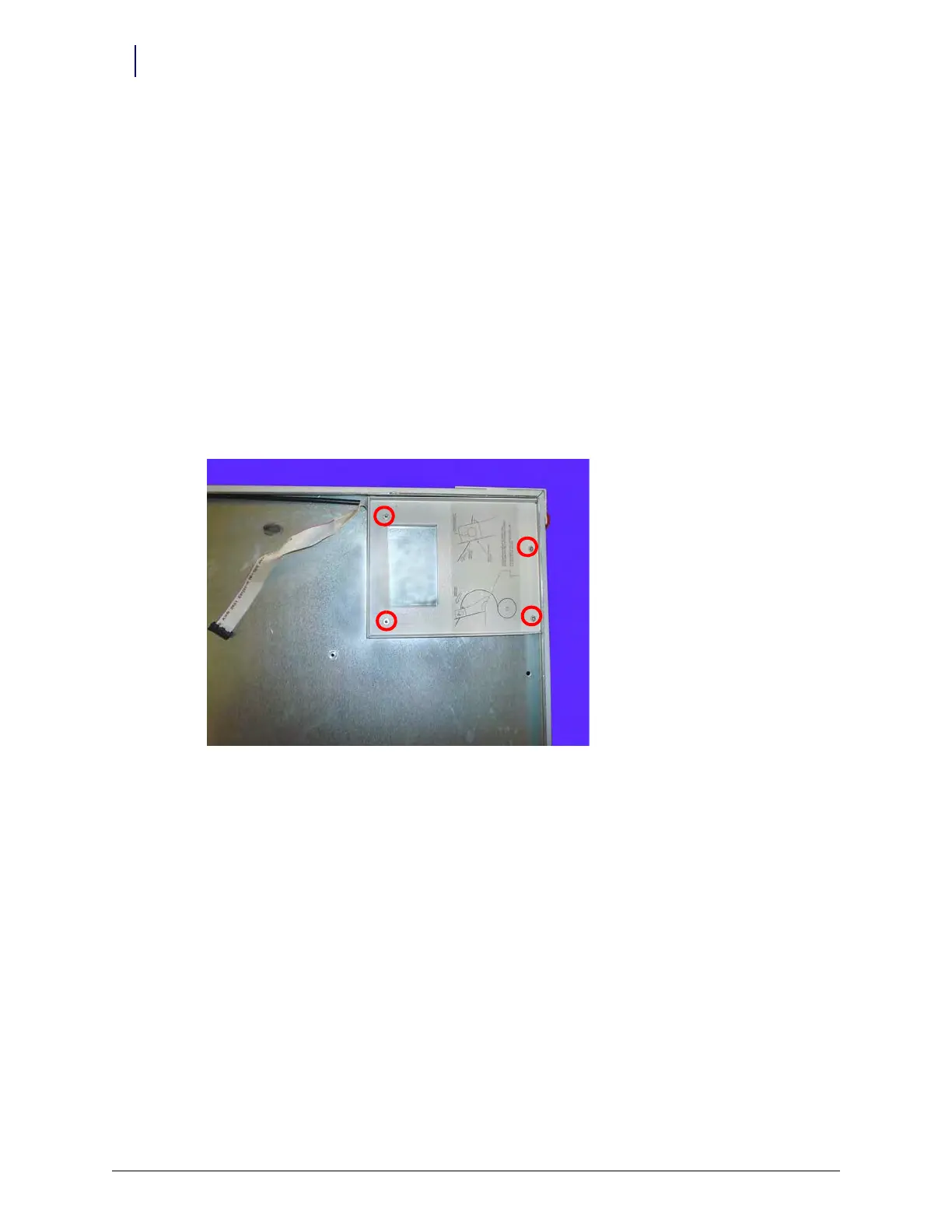
9. Remove the four screws that secure the cable cover bracket.
Figure 2-6. Remove the four screws that secure the cable cover bracket to the frame
10. Remove the bracket.



 To Next Page