© 2011 Omnicell, Inc. OmniRx Service Guide/67-2023 Rev F
Frames and Wireways 2-3
Wireway Removal
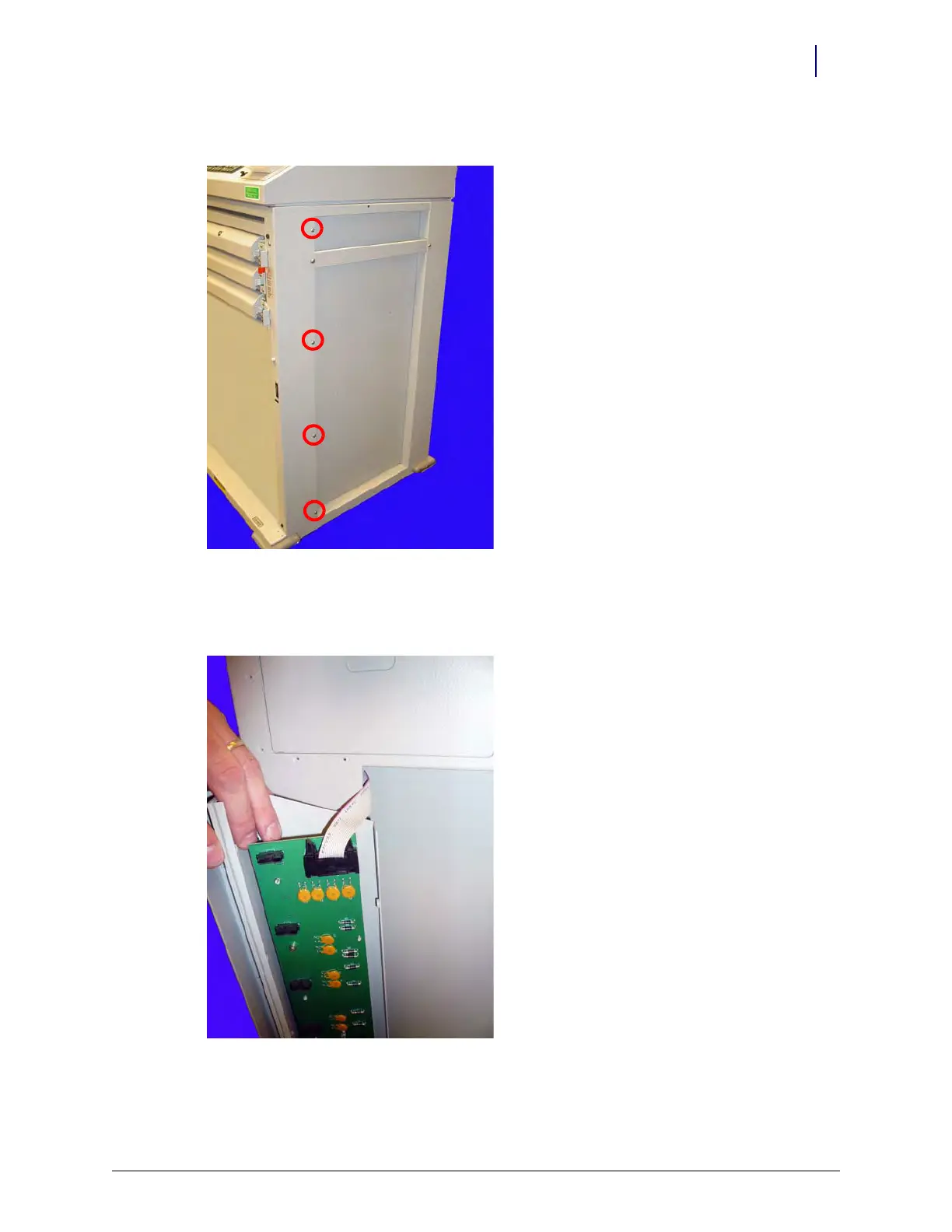
7. Remove the four screws on the side of the frame that secure the wireway.
Figure 2-4. Remove the wireway screws on the side of the OmniRx
8. Pull the wireway far enough from the frame to access the SPC board connectors.
9. Disconnect the cables on top and bottom that connect the SPC board to the wireway.
Figure 2-5. Remove the ribbon cable and remove the SPC board from the wireway
10. Remove the SPC board from the wireway.



 To Next Page