6-20 CT PC E-Box
Remove/Replace the Power Entry Module
OmniRx Service Guide/67-2023 Rev F © 2011 Omnicell, Inc.
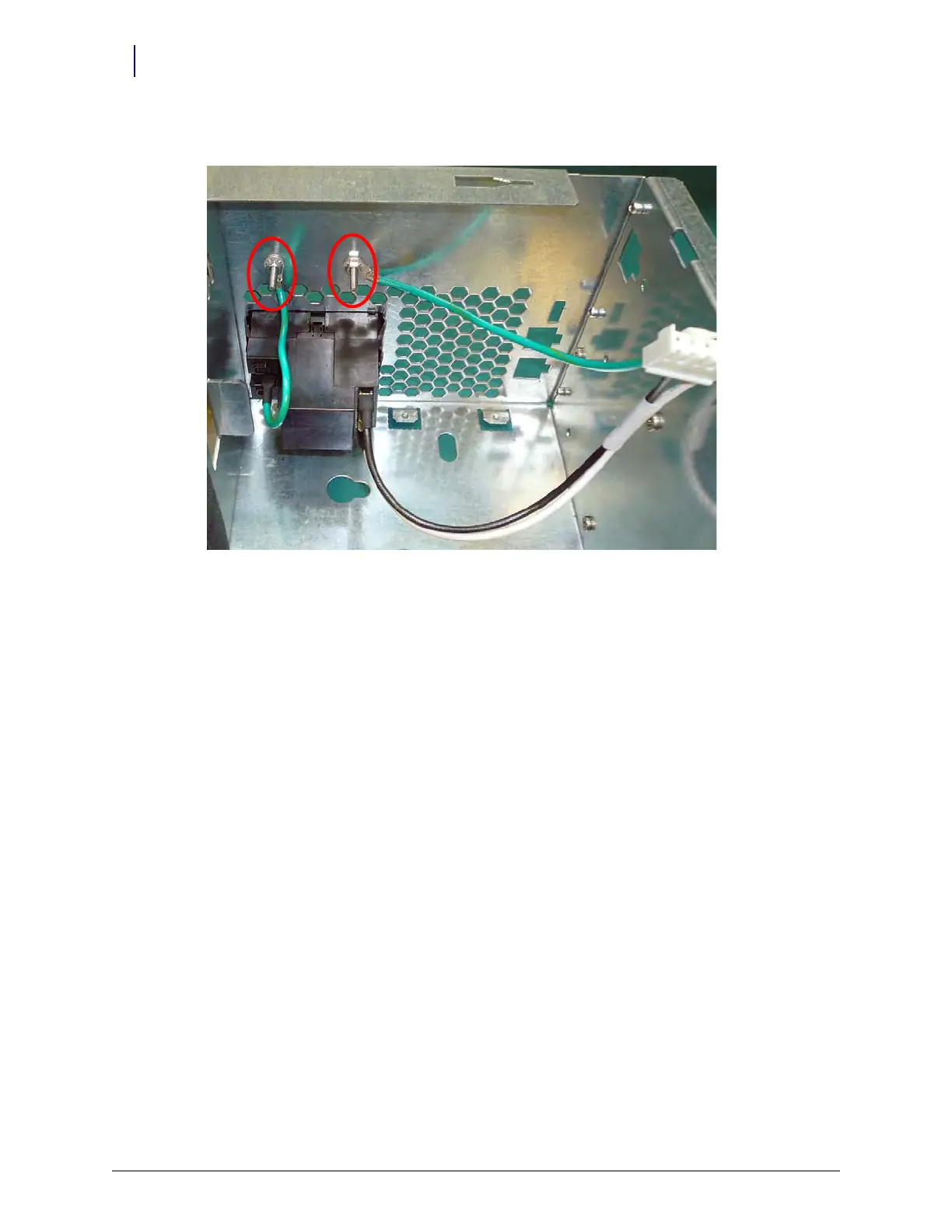
3. Remove the two nuts that secure the power entry module to the E-Box frame. Use a nut driver.
Figure 6-30. Remove the screws securing the power entry module to the E-Box
4. Pinch the tabs on the inside corners of the power entry module and push it out from the inside
of the E-Box.
5. Remove the power entry module from the E-Box.
Replace the Power Entry
Mo
dul
e
1. Feed the cables through the back of the E-Box into the box.
2. Pinch the tabs on the corners of the power entry module and push the module from the rear
into the box.



 To Next Page