1-8 Electronics Sled
Printer Removal
OmniRx Service Guide/67-2023 Rev F © 2011 Omnicell, Inc.
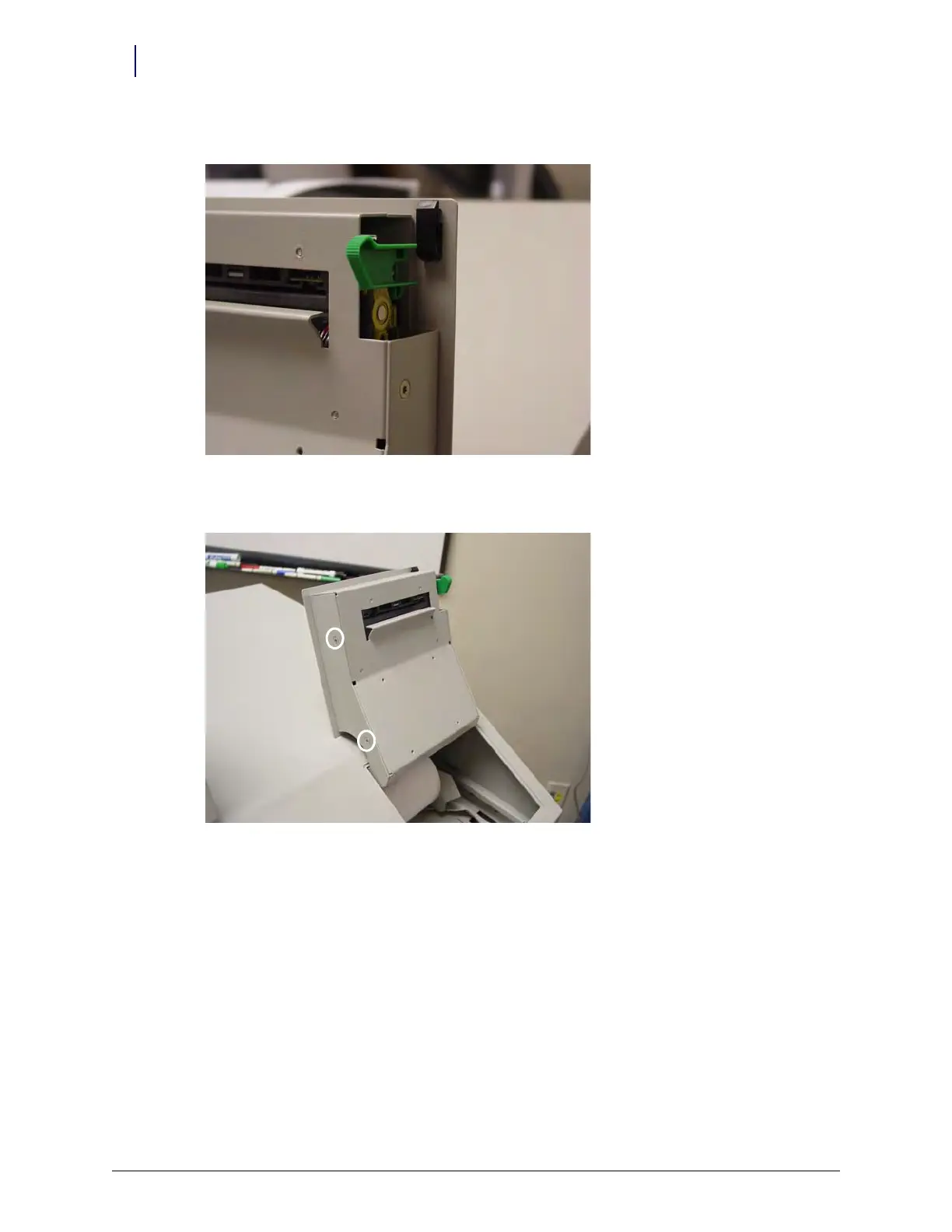
3. Lift the green platen lever on the right side to the disengaged position.
Figure 1-14. Lift the platen lever
4. Remove the four screws (two on each side) that secure the printer assembly to the cover.
Figure 1-15. Remove the Screws Securing the Printer Assembly
5. Remove the printer assembly.



 To Next Page