5-16 OmniRX G4 Service Guide
Introduction
OmniRx Service Guide/67-2023 Rev F © 2011 Omnicell, Inc.
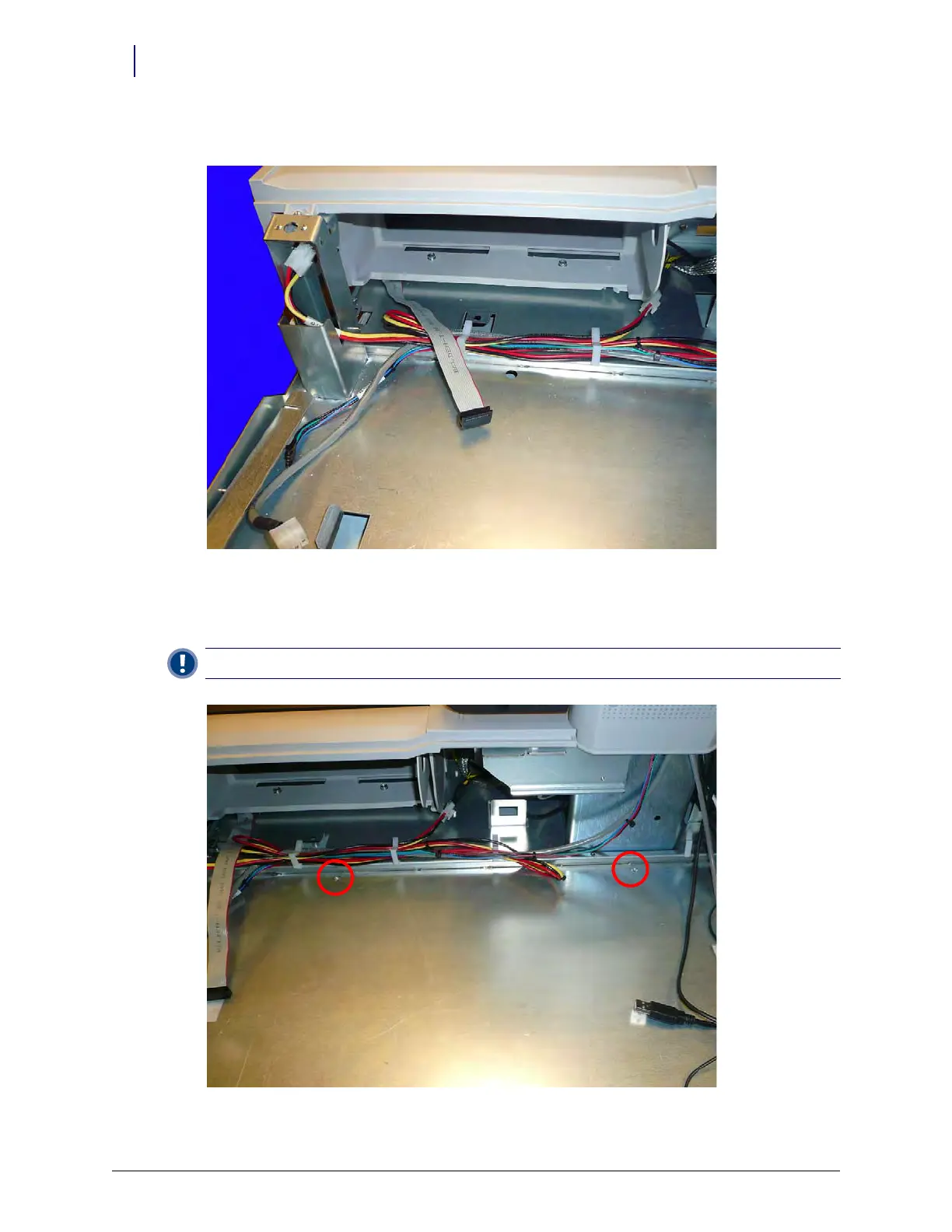
3. Bring the wireway cable out through the back of the G4 console.
Figure 5-25. Bring the wireway cable through the back
4. Organize the wires on the G4 console so that they are clear of the surface area where the E-Box
will be placed. Use the clips provided.
Figure 5-26. Organize the console wires
Important: Ensure that the two E-Box screw threads are accessible.



 To Next Page