976
Block Programming Instructions Section 3-30
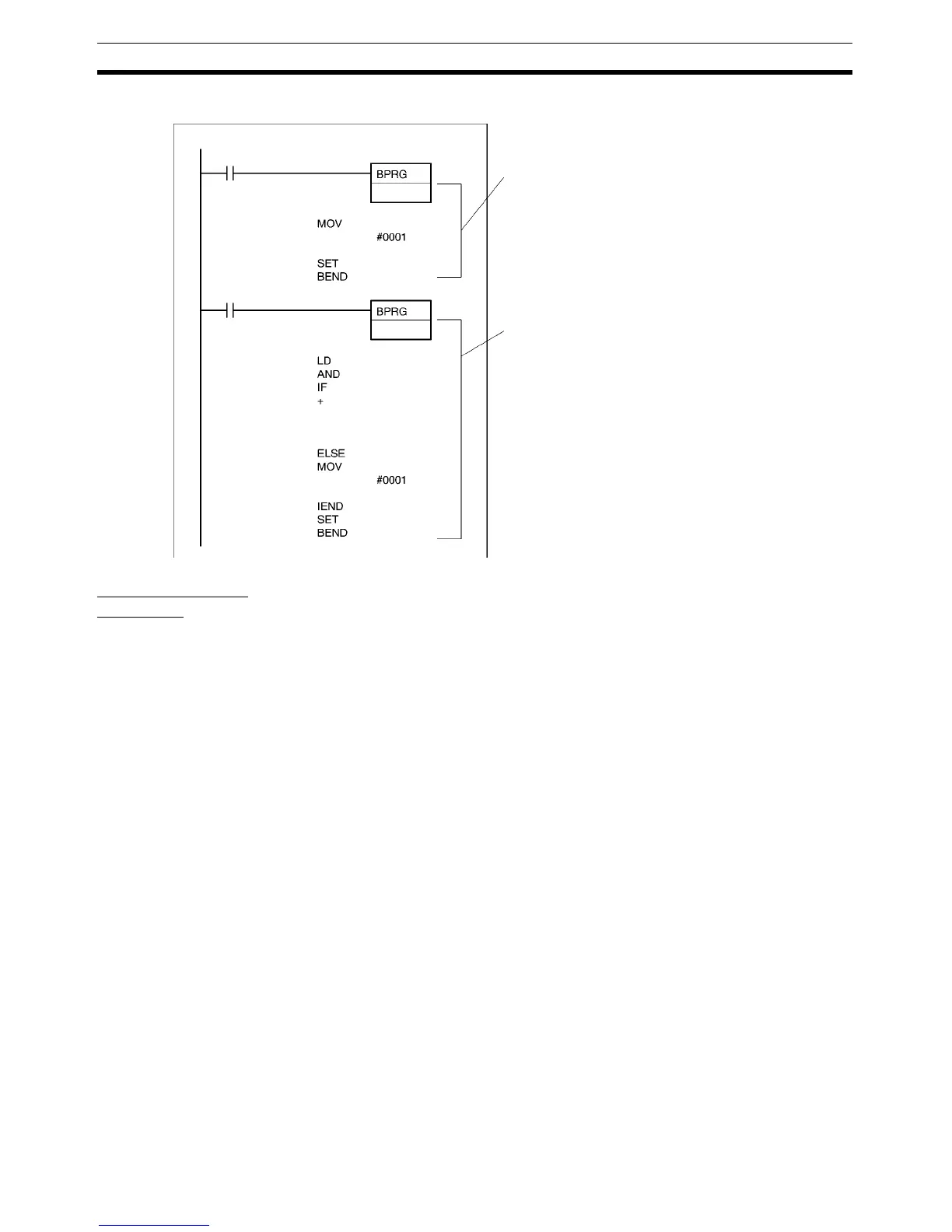
The following example shows two block programs.
Tasks and Block
Programs
Block programs can be located within tasks. While tasks are used to divide
large programming units, block programs can be used within tasks to further
divide programming into smaller units controlled with a single ladder diagram
execution condition.
Just like tasks, block programs that are that are not executed (i.e., which have
an OFF execution condition) do not require execution time and can thus be
used to reduce the cycle time (somewhat the same as jumps). Also like tasks,
other blocks can be paused or restarted from within a block program.
There are, however, differences between tasks and block programs. One dif-
ference is that input conditions are not used with block programs unless inten-
tionally programmed with IF(802), WAIT(805), EXIT(806), IEND(810) or other
instructions. Also, there are some instructions that cannot be used within
block programs, such as those that detect upward and downward differentia-
tion.
1
2
0.00
0.01
D1
100.00
0.03
0.04
1000
#000A
D1
D1
0.15
Block program area No. 1
When CIO 0.00 is ON, the contents of block
program 1 will be executed. The MOV(021)
and SET instructions will be executed
unconditionally and the block program will end.
Block program area No. 2
When CIO 0.01 is ON, the contents of block
program 2 will be executed. If CIO 0.03 and
CIO 0.04 are both ON, the binary addition will
be performed (CIO 1000 + #000A→D1).
If one or both of these bits is OFF, #0001 will
be moved to D1. CIO 0.15 will then be set
unconditionally and the block program will end.



 To Next Page