1008
Text String Processing Instructions Section 3-31
3-31 Text String Processing Instructions
This section describes instructions used to manipulate text strings.
3-31-1 Text String Processing Overview
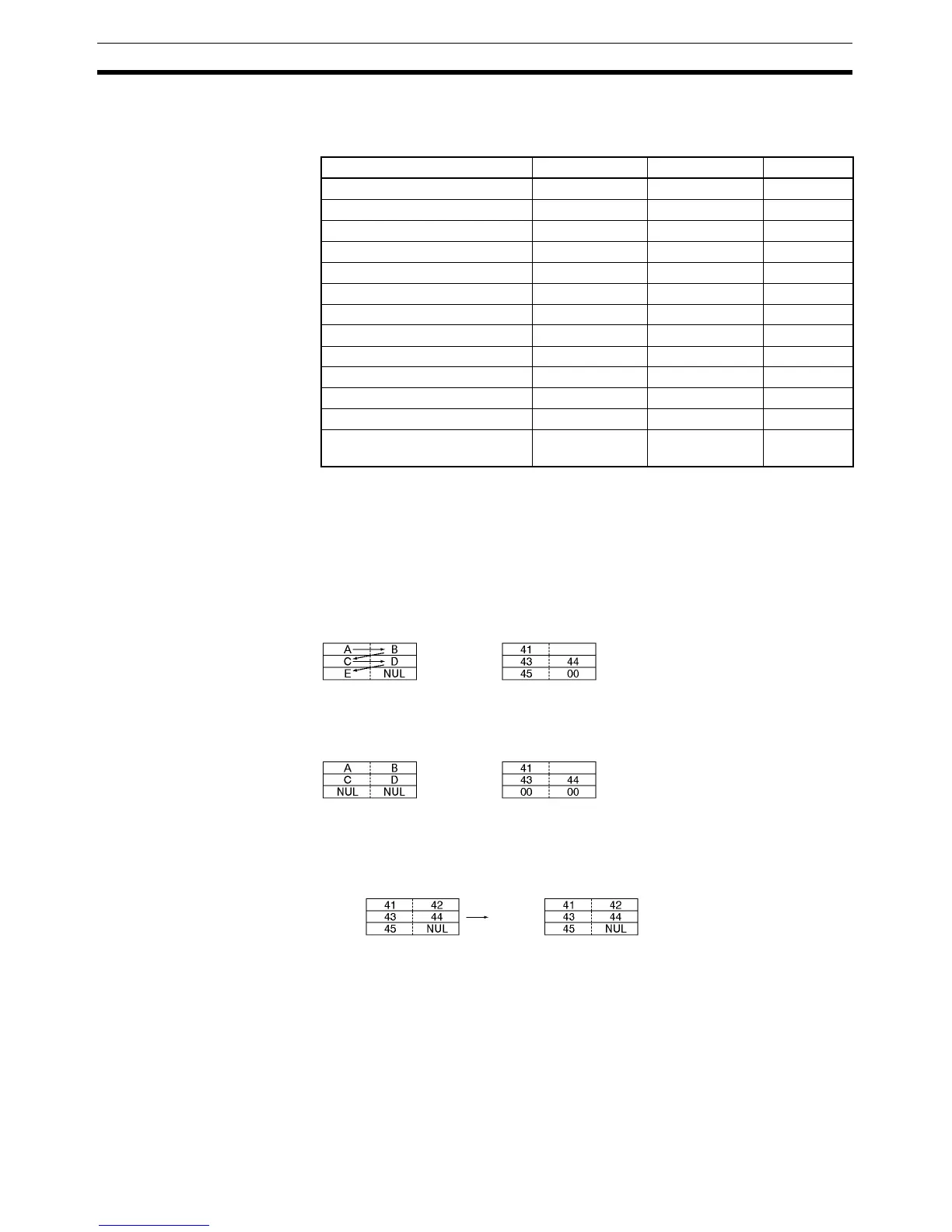
Data from the beginning until a NUL code (00 hex) is handled as text string
data expressed in ASCII (except for 1-byte, special characters). It is stored
from leftmost to rightmost bytes, and from rightmost to leftmost words.
When there is an odd number of characters, 00 hex (NUL code) is stored in
the available space in the rightmost byte of the final word.
When there is an even number of characters, 0000 hex (two NUL codes) is
stored in the leftmost and rightmost bytes of the word following the final word.
As shown in the following diagram, a text string can be specified by simply
designating the first word of that string. The text string data up until the next
NUL code (00 hex) will then be handled as a single block of ASCII data.
Instruction Mnemonic Function code Page
MOV STRING MOV$ 664 1009
CONCATENATE STRING +$ 656 1011
GET STRING LEFT LEFT$ 652 1013
GET STRING RIGHT RGHT$ 653 1016
GET STRING MIDDLE MID$ 654 1018
FIND IN STRING FIND$ 660 1020
STRING LENGTH LEN$ 650 1022
REPLACE IN STRING RPLC$ 661 1024
DELETE STRING DEL$ 658 1026
EXCHANGE STRING XCHG$ 665 1029
CLEAR STRING CLR$ 666 1030
INSERT INTO STRING INS$ 657 1032
String Comparison Instructions =$, <>$, <$, <=$,
>$, >=$
670 to 675 1035
=
Example: Text string ABCDE
42
42
=
Example: Text string ABCD
Example: MOV$ D0 D100
D0
D1
D2
D100
D101
D102



 To Next Page