930
Clock Instructions Section 3-26
Operands S through S+3: New Clock Setting
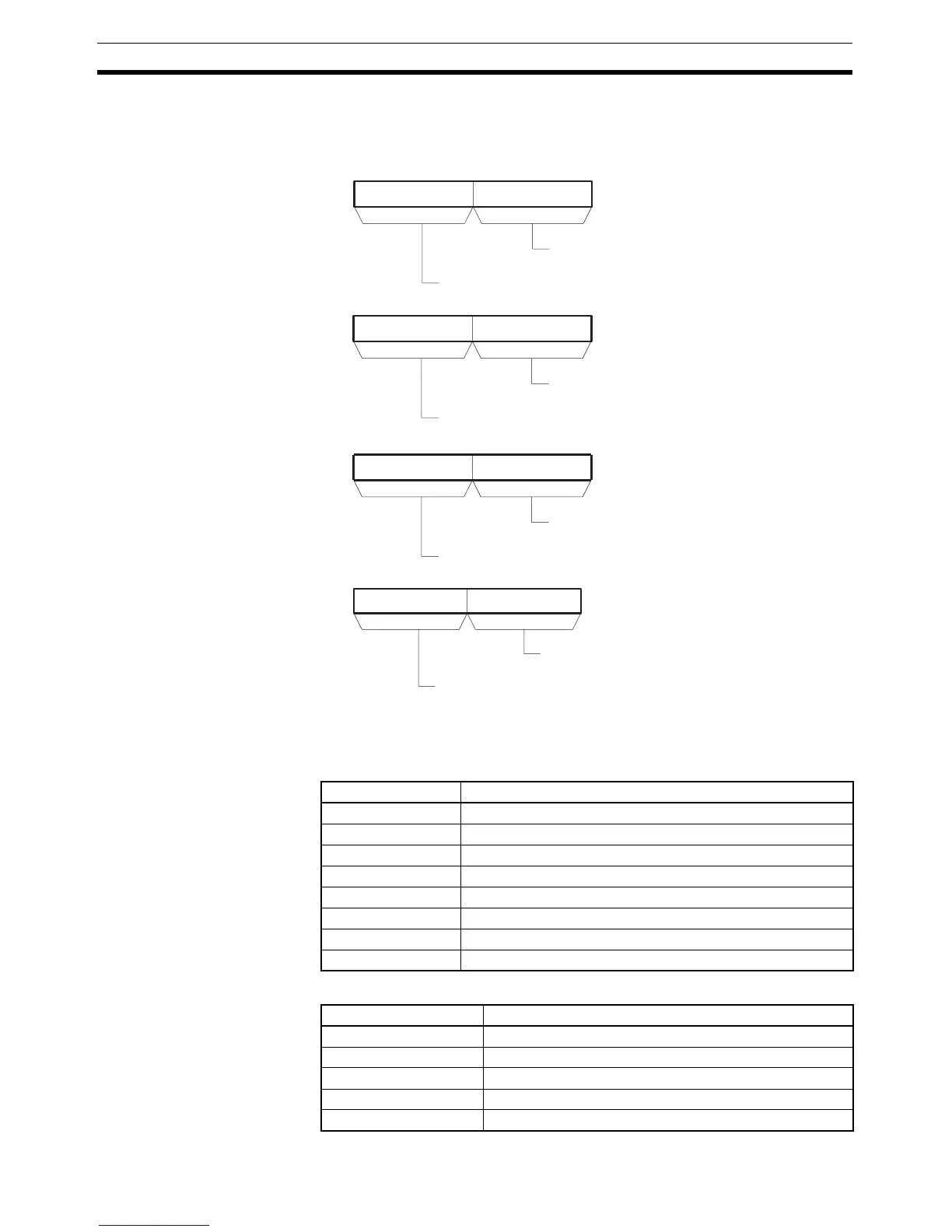
Set the new clock setting in S through S+3 as shown in the following diagram.
S through S+3 must be in the same data area.
The following table shows the structure of the Calendar/Clock Area.
Operand Specifications
Addresses Contents
A351.00 to A351.07 Second (00 to 59, BCD)
A351.08 to A351.15 Minute (00 to 59, BCD)
A352.00 to A352.07 Hour (00 to 23, BCD)
A352.08 to A352.15 Day of month (01 to 31, BCD)
A353.00 to A353.07 Month (01 to 12, BCD)
A353.08 to A353.15 Year (00 to 99, BCD)
A354.00 to A354.07 Day of week (00 to 06 = Sunday to Saturday, hexadecimal)
A354.08 to A354.15 Always set to 00.
15 8 07
S
15 8 07
S+1
15 8 07
S+2
15 8 07
S+3
Seconds: 00 to 59 (BCD)
Minutes: 00 to 59 (BCD)
Hour: 00 to 23 (BCD)
Day: 01 to 31 (BCD)
Month: 01 to 12 (BCD)
Year: 00 to 99 (BCD)
Always set to 00.
Day of the week:
00 = Sunday
01 = Monday
02 = Tuesday
03 = Wednesday
04 = Thursday
05 = Friday
06 = Saturday
Area S
CIO Area CIO 0 to CIO 6140
Work Area W0 to W508]
Holding Bit Area H0 to H508
Auxiliary Bit Area A0 to A956
Timer Area T0000 to T4092



 To Next Page