48
Introducing Function Blocks Section 1-4
1-4-3 Files Created with CX-Programmer
Project Files (*.cxp) Projects created using CX-Programmer that contain function block definitions
and projects with instances are saved in the same standard project files
(*.cxp).
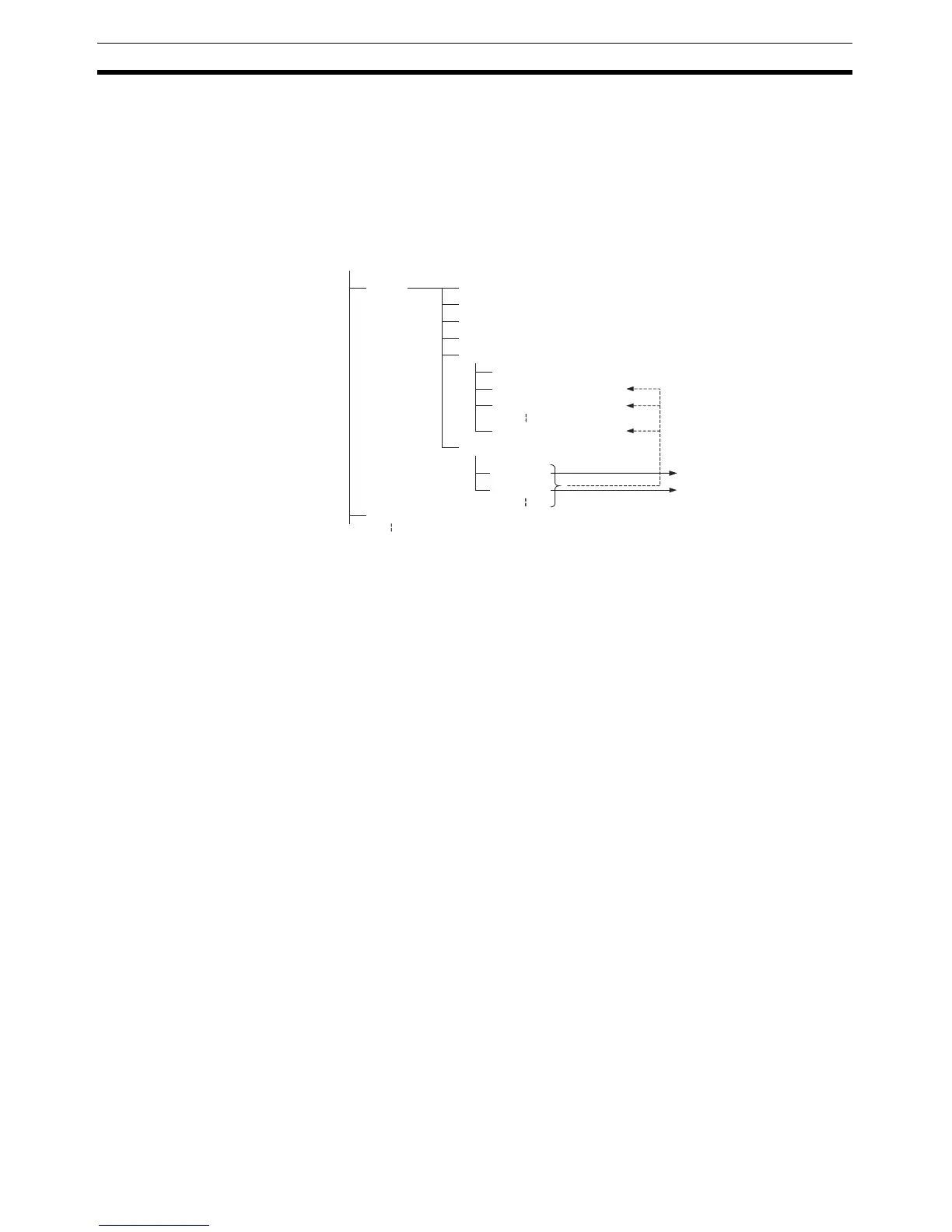
The following diagram shows the contents of a project. The function block def-
initions are created at the same directory level as the program within the rele-
vant PLC directory.
Function Block Library
Files (*.cxf)
A function block definition created in a project with CX-Programmer can be
saved as a file (1 definition = 1 file), enabling definitions to be loaded into
other programs and reused.
Note When function blocks are nested, all of the nested (destination) function block
definitions are included in this function block library file (.cxf).
Project Text Files
Containing Function
Blocks (*.cxt)
Data equivalent to that in project files created with CX-Programmer (*.cxp)
can be saved as CXT text files (*.cxt).
FunctionBlock1
FunctionBlock2
Project file (.cxp)
PLC1
PLC2
Global symbol table
I/O table
PLC Setup
PLC memory table
Program (with rung comments)
Local symbol table
Section 1 (with instances)
Section 2 (with instances)
END section (with instances)
Function block definitions
Each function block can be
stored in a separate
definition file (.cxf).
Instances created
in program
sections.



 To Next Page