69
Interrupt Tasks Section 2-3
Input Interrupt Tasks Input interrupt tasks are disabled by default when cyclic task execution is
started. To enable input interrupts, execute the SET INTERRUPT MASK
instruction (MSKS(690)) in a cyclic task for the interrupt number.
Using inputs as interrupt inputs must be enabled in advance in the PLC Setup.
Note Do not enable unneeded input interrupt tasks. If the interrupt input is triggered
by noise and there isn’t a corresponding interrupt task, a fatal error (task
error) will cause the program to stop.
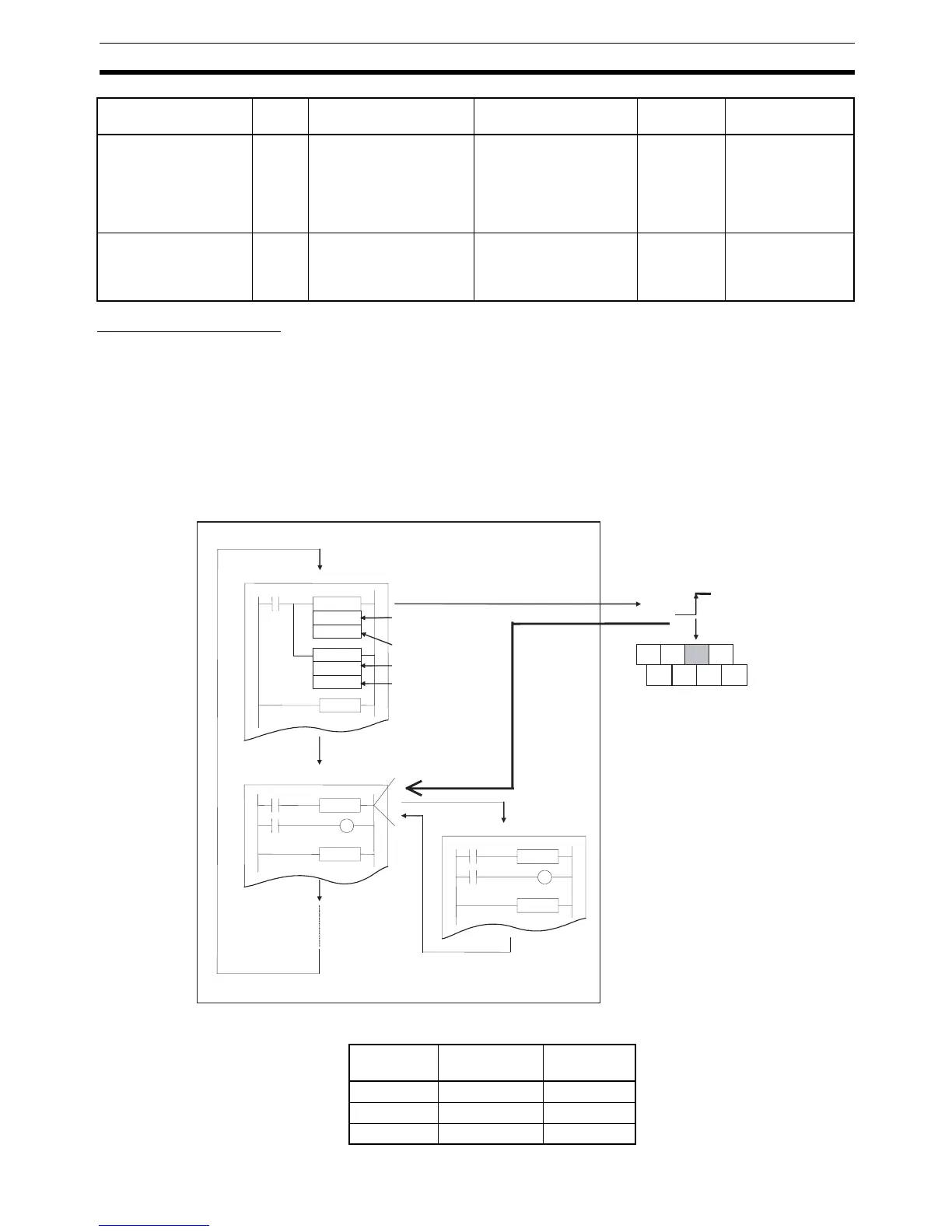
Example: The following example shows execution input interrupt task 143
when CIO 0.03 (interrupt input No. 3) turns ON.
• CP1H X and XA CPU Units
Scheduled Interrupt 0 2 An interrupt occurs at a
scheduled time (fixed
intervals).
Use the SET INTER-
RUPT MASK instruction
(MSKS(690)) to set the
interrupt interval. See
Scheduled interrupt
interval in PLC Setup.
1 point Monitoring operat-
ing status at fixed
intervals
External Interrupts
(Not supported by
CP1L CPU Units.)
0 to
255
Interrupts are requested
by an Special I/O Unit or
CPU Bus Unit.
None (always valid) 256 points Performing pro-
cessing required
by CJ-series Spe-
cial I/O Units
Type Task
No.
Execution condition Setting procedure Number of
interrupts
Application
examples
MSKS
113
#0000
END
END
END
MSKS
103
#0000
COM
01 03 05
00 02 04 06
Cyclic task
MSKS(690) enables the specified
input interrupt (ON, Direct Mode).
Input interrupt 3
(ON/OFF designation)
ON designation
Input interrupt 3
(interrupt designation)
Interrupts enabled in
Direct Mode.
Cyclic task
Interrupt
Input interrupt task 143
CIO 0.0



 To Next Page