1020
Text String Processing Instructions Section 3-31
The maximum number of characters to be read that can be designated by S2
is 4,095 (0FFF hex). If more than that are designated, an error will be gener-
ated and the Error Flag will turn ON.
If 0 (0000 hex) is designated as the number of characters to be read, the two
NUL characters (0000 hex) will be output to D.
If 0000 (hex) is output to D, the Equals Flag will turn ON.
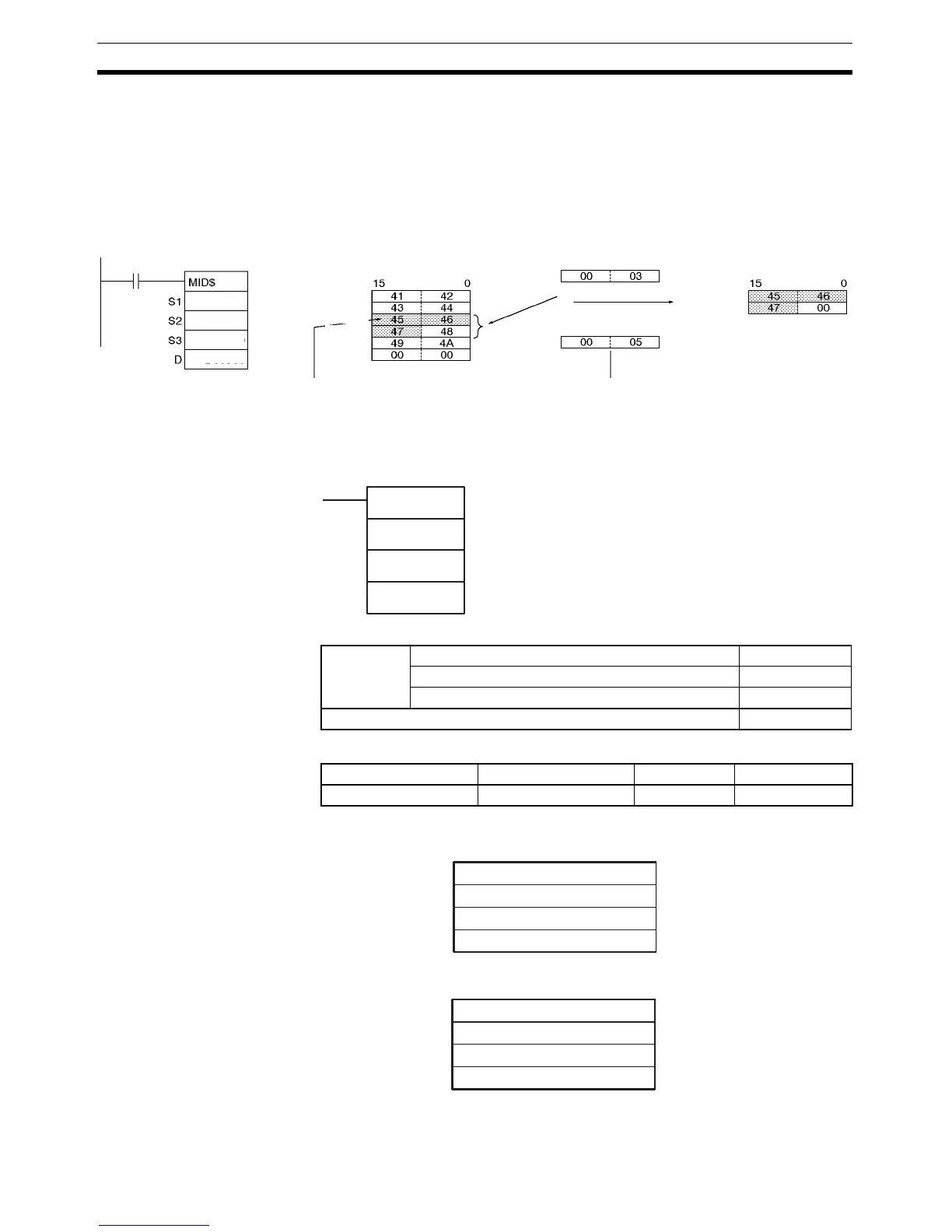
Example In this example, MID$(654) is used to read three characters.
3-31-7 FIND IN STRING: FIND$(660)
Purpose Finds a designated text string from within a text string.
Ladder Symbol
Variations
Applicable Program Areas
Operands S1: Source Text String
S2: Found Text String
Note The data from S1 to S1 + the maximum 2,047 words and from S2 to S2 + the
maximum 2,047 words must be in the same area.
D: D300
S2: D200
S3: D400
S1: D100
D101
D102
D103
D104
D105
D100
D200
D400
D300
Text string ABCDEFGHIJ
Three characters read.
From 5th character
(leftmost byte in D102).
Text string EFG
FIND$(660)
S1
S2
D
S1: Source text string first word
S2: Found text string first word
D: First destination word
Variations Executed Each Cycle for ON Condition FIND$(660)
Executed Once for Upward Differentiation @FIND$(660)
Executed Once for Downward Differentiation Not supported
Immediate Refreshing Specification Not supported
Block program areas Step program areas Subroutines Interrupt tasks
OK OK OK OK
15 0
S1
to
Text string data: 4,095 characters max. + NUL
S1 + maximum 2,047 words
15 0
S2
to
Text string data: 4,095 characters max. + NUL
S2 + maximum 2,047 words



 To Next Page