1026
Text String Processing Instructions Section 3-31
Flags
Precautions The maximum number of characters for S1 or S2 is 4,095 (0FFF hex). If there
are more than that (i.e., if there is no NUL before the 4,096th character), an
error will be generated and the Error Flag will turn ON.
The range for the beginning position designated by S4 is the 1st to the
4,095th character (0001 to 0FFF hex). If the setting is outside of this range, an
error will be generated and the Error Flag will turn ON.
If the beginning position designated by S4 is beyond the text string designated
by S1, an error will be generated and the Error Flag will turn ON.
If 0000 (hex) is output to D, the Equals Flag will turn ON.
Set the first destination word D so that it does not overlap with the areas set
with the replacement text string first word S2. RPLC$(654) will not work cor-
rectly if these areas overlap.
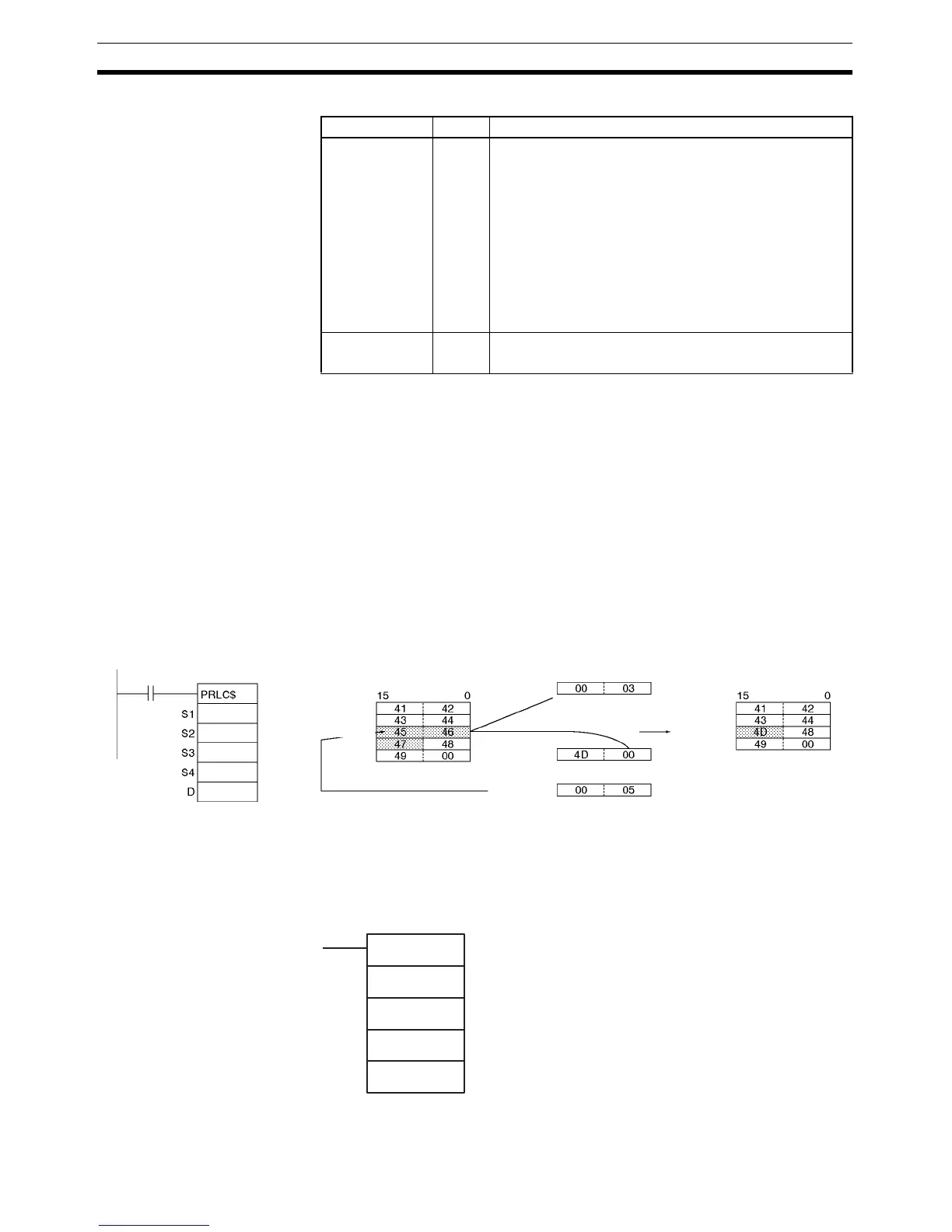
Example In this example, RPLC$(654) is used to read three characters.
3-31-10 DELETE STRING: DEL$(658)
Purpose Deletes a designated text string from the middle of a text string.
Ladder Symbol
Name Label Operation
Error Flag ER ON if more than 4,095 characters are designated by S1
or S2.
ON if more than 4,095 characters (0FFF hex) are desig-
nated by S3.
ON if the S4 data is within the range of 1 to 4,095 (0001
to 0FFF hex).
ON if the Communications Port Enabled Flag for the com-
munications port number specified as the Com Port num-
ber for Background Execution is OFF when background
processing is specified (CP1H only).
OFF in all other cases.
Equals Flag = ON if 0000 (hex) is output to D.
OFF in all other cases.
S3: D300
D2: D200
D4: D500
D: D400
D401
D402
D403
S1: D100
D101
D102
D103
D104
D100
D200
D300
D500
D400
Text string ABCDHI
From 5th byte.
Three characters replaced
Text string ABCDEFGHI
Text string M
DEL$(658)
S1
S2
S3
D
S1: Text string first word
S2: Number of characters
S3: Beginning position
D: First destination word



 To Next Page