211
Comparison Instructions Section 3-6
Inputting the Instructions
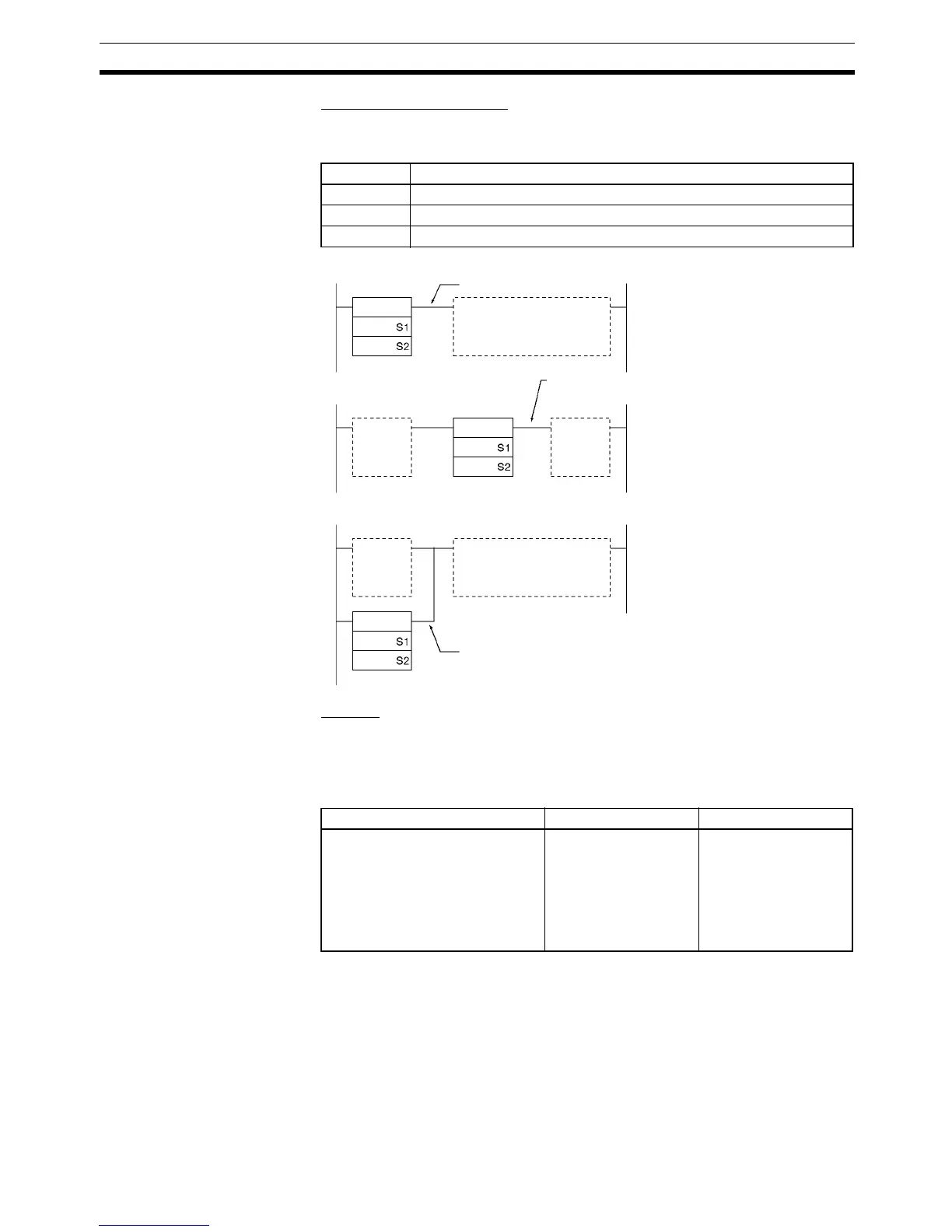
The input comparison instructions are treated just like the LD, AND, and OR
instructions to control the execution of subsequent instructions.
Options
The input comparison instructions can compare signed or unsigned data and
they can compare one-word or double values. If no options are specified, the
comparison will be for one-word unsigned data. With the three input types and
two options, there are 72 different input comparison instructions.
Unsigned input comparison instructions (i.e., instructions without the S option)
can handle unsigned binary or BCD data. Signed input comparison instruc-
tions (i.e., instructions with the S option) handle signed binary data.
Input type Operation
LD The instruction can be connected directly to the left bus bar.
AND The instruction cannot be connected directly to the left bus bar.
OR The instruction can be connected directly to the left bus bar.
Symbol Option (data format) Option (data length)
= (Equal)
< > (Not equal)
< (Less than)
<= (Less than or equal)
> (Greater than)
>= (Greater than or equal)
None: Unsigned data
S: Signed data
None: One-word data
L: Double-length data
<
<
<
LD connection
AND connection
OR connection
ON execution condition when
comparison result is true.
ON execution condition when
comparison result is true.
ON execution condition when
comparison result is true.



 To Next Page