221
Comparison Instructions Section 3-6
Condition Flag Status
The following table shows the status of the Arithmetic Flags after execution of
CMP(020). (A status of “---” indicates that the Flag may be ON or OFF.)
Using CMP(020) Results in the Program
When CMP(020) is executed, the result is reflected in the Arithmetic Flags.
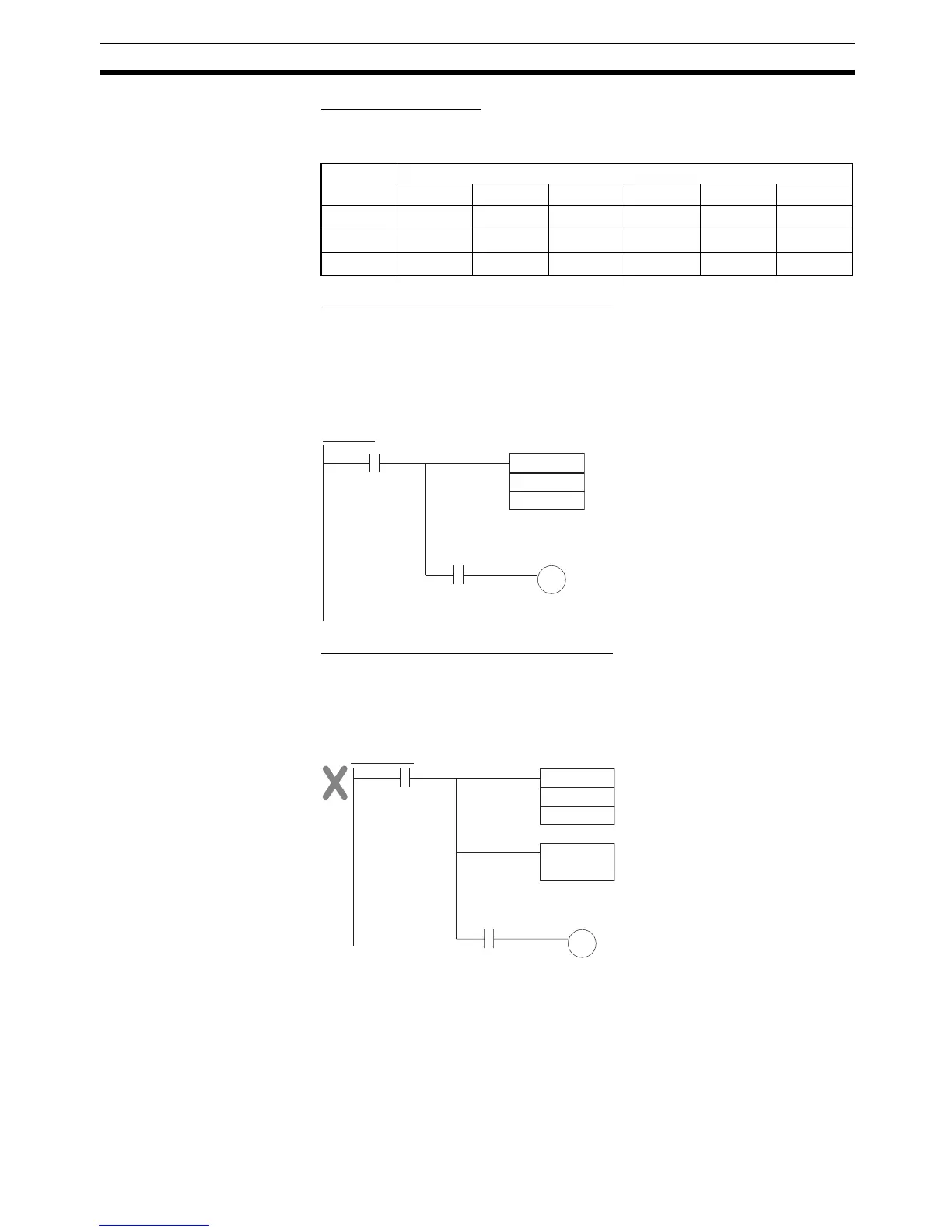
Control the desired output or right-hand instruction with a branch from the
same input condition that controls CMP(020), as shown in the following dia-
gram. In this case, the Equals Flag and output A will be turned ON when S
1
=
S
2
.
Using CMP(020) Results in the Program
Do not program another instruction between CMP(020) and the instruction
controlled by the Arithmetic Flag because the other instruction might change
the status of the Arithmetic Flag. In this case, the results of instruction B might
change the results of CMP(020).
The immediate-refreshing variation (!CMP(020)) can be used with words allo-
cated to external inputs specified in S
1
and/or S
2
. When !CMP(020) is exe-
cuted, input refreshing will be performed for the external input word specified
in S
1
and/or S
2
and that refreshed value will be compared.
CMP(020)
Result
Flag status
>> ==< =<< >
S
1
> S
2
ON ON OFF OFF OFF ON
S
1
= S
2
OFFONONONOFFOFF
S
1
< S
2
OFF OFF OFF ON ON ON
CMP
S1
S2
A
Arithmetic Flag
(Example: Equal Flag)
Correct Use of CMP(020)
CMP
S1
S2
A
Incorrect Use of CMP(020)
Instruction
B
Arithmetic Flag
(Example: Equal Flag)



 To Next Page