230
Comparison Instructions Section 3-6
Precautions Do not program another instruction between CPSL(115) and an input condi-
tion that accesses the result of CPSL(115) because the other instruction
might change the status of the Arithmetic Flags.
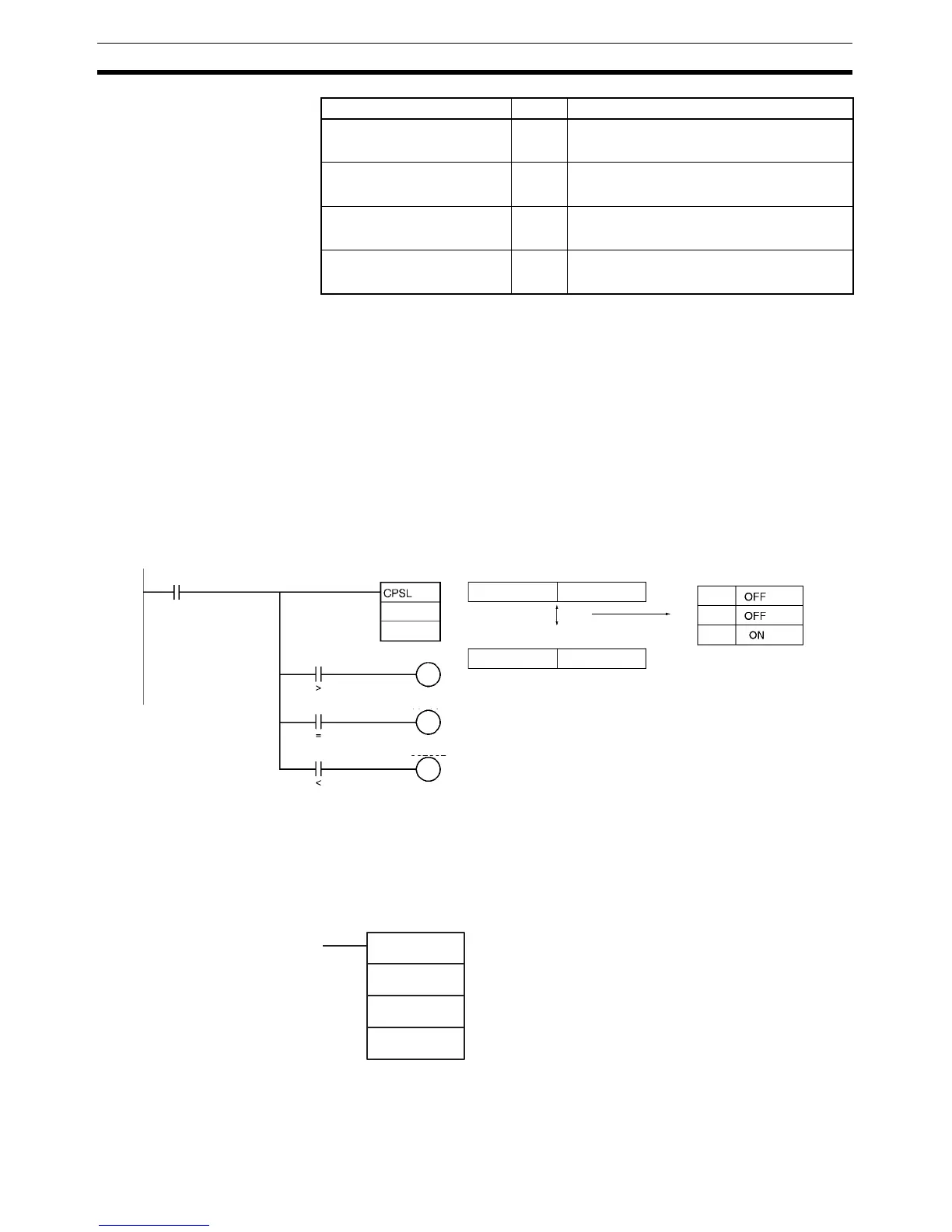
Example When CIO 0.00 is ON in the following example, the eight-digit signed binary
data in D2 and D1 is compared to the eight-digit signed binary data in D6 and
D5 and the result is output to the Arithmetic Flags.
• If the content of D2 and D1 is greater than that of D6 and D5, the Greater
Than Flag will be turned ON, causing CIO 100.00 to be turned ON.
• If the content of D2 and D1 is equal to that of D6 and D5, the Equals Flag
will be turned ON, causing CIO 100.01 to be turned ON.
• If the content of D2 and D1 is less than that of D6 and D5, the Less Than
Flag will be turned ON, causing CIO 100.02 to be turned ON.
3-6-7 MULTIPLE COMPARE: MCMP(019)
Purpose Compares 16 consecutive words with another 16 consecutive words and
turns ON the corresponding bit in the result word where the contents of the
words are not equal.
Ladder Symbol
Equal Flag = ON if S
1
+1, S
1
= S
2
+1, S
2
.
OFF in all other cases.
Not Equal Flag = ON if S
1
+1, S
1
≠ S
2
+1, S
2
.
OFF in all other cases.
Less Than Flag < ON if S
1
+1, S
1
< S
2
+1, S
2
.
OFF in all other cases.
Less Than or Equal Flag < = ON if S
1
+1, S
1
≤ S
2
+1, S
2
.
OFF in all other cases.
Name Label Operation
(1)
(0)
(0)
>
=
<
1234 5678
ABCD EF12
D1
D5
0.00
100.00
100.01
100.02
D2 D1
D6 D5
Flag status
Comparison
MCMP(019)
S
1
S
2
R
S
1
: First word of set 1
S
2
: First word of set 2
R: Result word



 To Next Page