410
Conversion Instructions Section 3-11
Examples of odd parity:
When adjusted for odd parity, ASCII “36” (00110110) will be “B6” (10110110:
parity bit turned ON to create an odd number of ON bits); ASCII “46”
(01000110) will be “46” (01000110: parity bit remains OFF because the num-
ber of ON bits is already odd).
Examples of Di
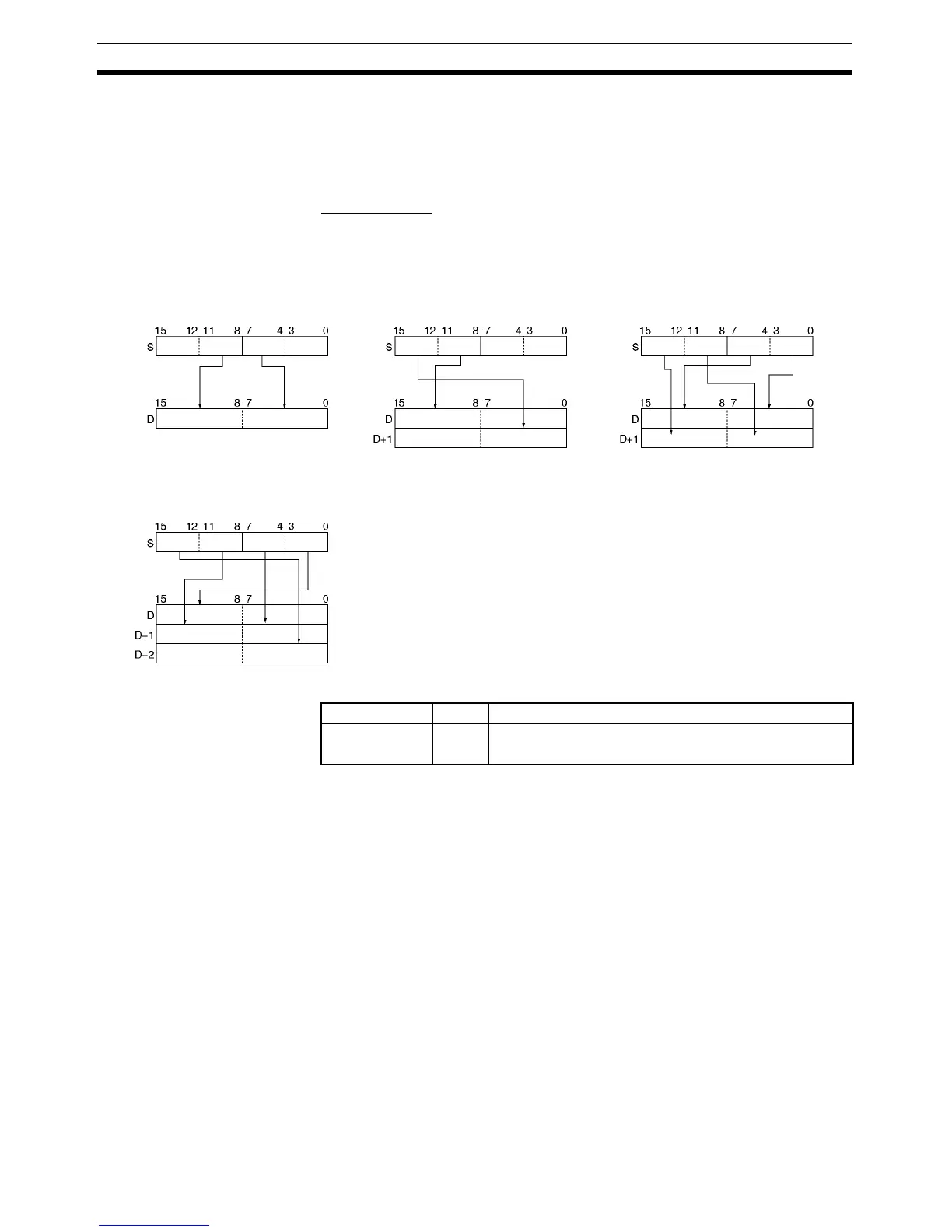
When two or more digits are being converted, ASC(086) will read the bytes in
S from right to left and will wrap around to the rightmost byte if necessary. The
following diagram shows some example values for Di and the conversions that
they produce.
Flags
Example When CIO 0.00 is ON in the following example, ASC(086) converts three
hexadecimal digits in D100 (beginning with digit 1) into their ASCII equivalents
and writes this data to D200 and D201 beginning with the leftmost byte in
D200. In this case, a digit designator of #0121 specifies no parity, the starting
byte (when writing) is the leftmost byte, the number of digits to read is 3, and
the starting digit (when reading) is digit 1.
Di: #0011 Di: #0112 Di: #0030
Di: #0130
Digit 3 Digit 2 Digit 1 Digit 0
Leftmost Rightmost
Digit 3 Digit 2 Digit 1 Digit 0 Digit 3 Digit 2 Digit 1 Digit 0
Leftmost
Rightmost
Leftmost Rightmost
Leftmost Rightmost
Digit 3 Digit 2 Digit 1
Digit 0
Leftmost
Rightmost
Rightmost
Leftmost
Name Label Operation
Error Flag ER ON if the content of Di is not within the specified ranges.
OFF in all other cases.



 To Next Page