EasyManua.ls Logo

Omron CP - PROGRAMMING MANUAL 05-2007 - Page 488

Omron CP - PROGRAMMING MANUAL 05-2007
1175 pages
Print Icon
To Next Page IconTo Next Page
To Previous Page IconTo Previous Page
Loading...
455
Special Math Instructions Section 3-13
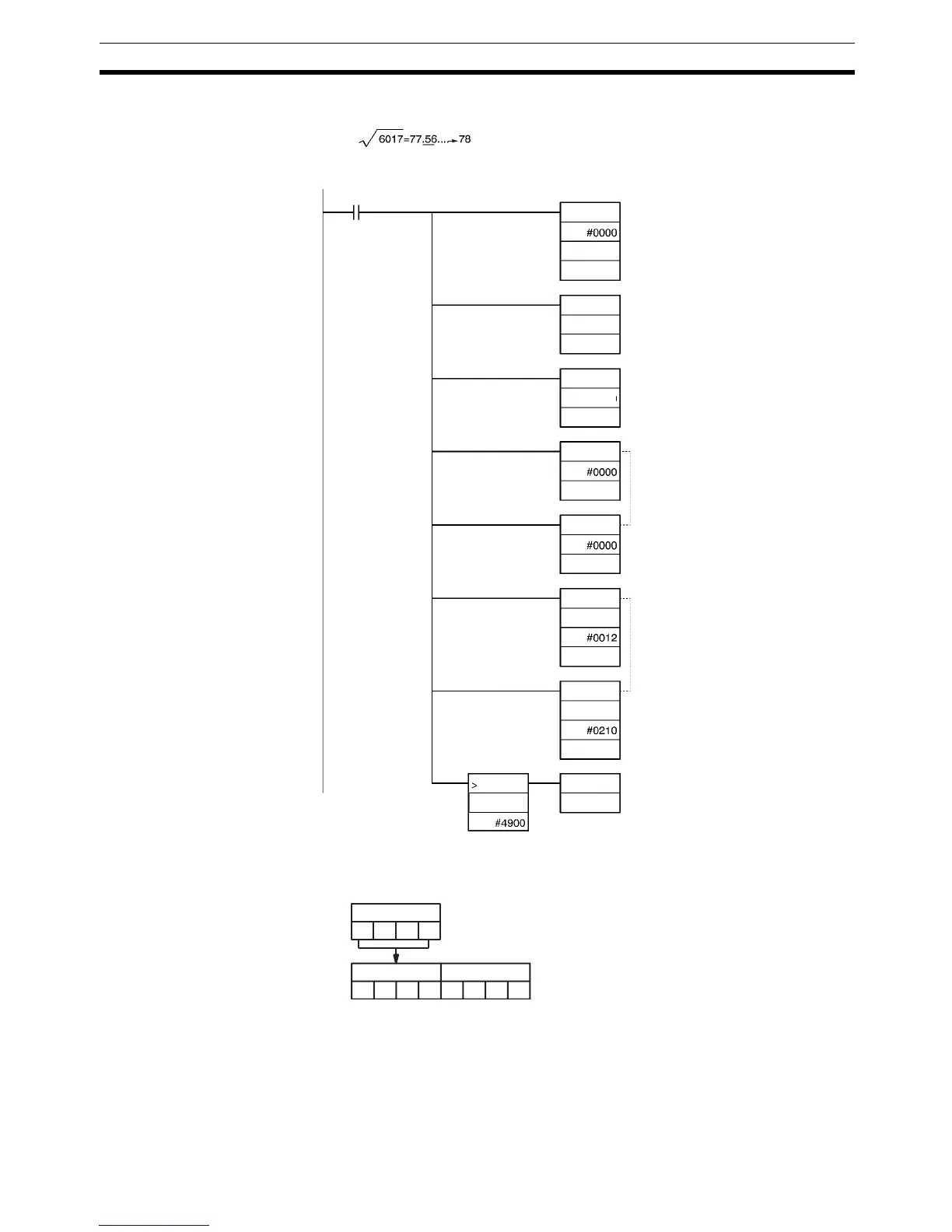
Note Figures after the decimal point are rounded for 4-digit numbers.
1,2,3... 1. The source words (D101 and D100) to be are cleared to 0000 0000.
2. The 4-digit number is moved from CIO 1000 to D101.
3. ROOT(072) calculates the square root of D101 and D100 and writes the
result to D102.
1
2
3

4
5
@BSET
@MOV
@ROOT
@MOV
@MOV
@MOVD
@MOVD
@INC
0.00
D100
D101
1000
D101
D100
D102
2000
D103
D102
2000
D102
D103
2000
D103
The values after the decimal point
should be rounded.
CIO 1000
6 0 1 7
D101
6 0 1 7 0 0 0 0
D100

Table of Contents

Related product manuals