478
Floating-point Math Instructions Section 3-14
1. This section of the program converts the data from BCD to floating-point.
a. The data area from D200 onwards is used as a work area.
b. First BIN(023) is used to temporarily convert the BCD data to binary
data, and then FLT(452) is used to convert the binary data to floating-
point data.
c. The value of x that has been converted to floating-point data is output
to D203 and D202.
d. The value of y that has been converted to floating-point data is output
to D205 and D204.
2. In order to find the distance r, Floating-point Math Instructions are used to
calculate the square root of x
2
+y
2
. The result is then output to D213 and
D212 as floating-point data.
3. In order to find the angle
θ, Floating-point Math Instructions are used to
calculate tan
–1
(y/x). ATAN(465) outputs the result in radians, so DEG(459)
is used to convert to degrees. The result is then output to D219 and D218
as floating-point data.
4. The data is converted back from floating-point to BCD.
a. First FIX(450) is used to temporarily convert the floating-point data to
binary data, and then BCD(024) is used to convert the binary data to
BCD data.
b. The distance r is output to D100.
c. The angle
θ is output to D101.
3-14-1 FLOATING TO 16-BIT: FIX(450)
Purpose Converts a 32-bit floating-point value to 16-bit signed binary data and places
the result in the specified result word.
Ladder Symbol
Variations
DM Contents
D0
#0100
D1
#0100
x
y
D100
0 1 4 1
D101
0 0 4 5
r
(BCD)
(BCD)
(BCD)
(BCD)
100
100
Calculations
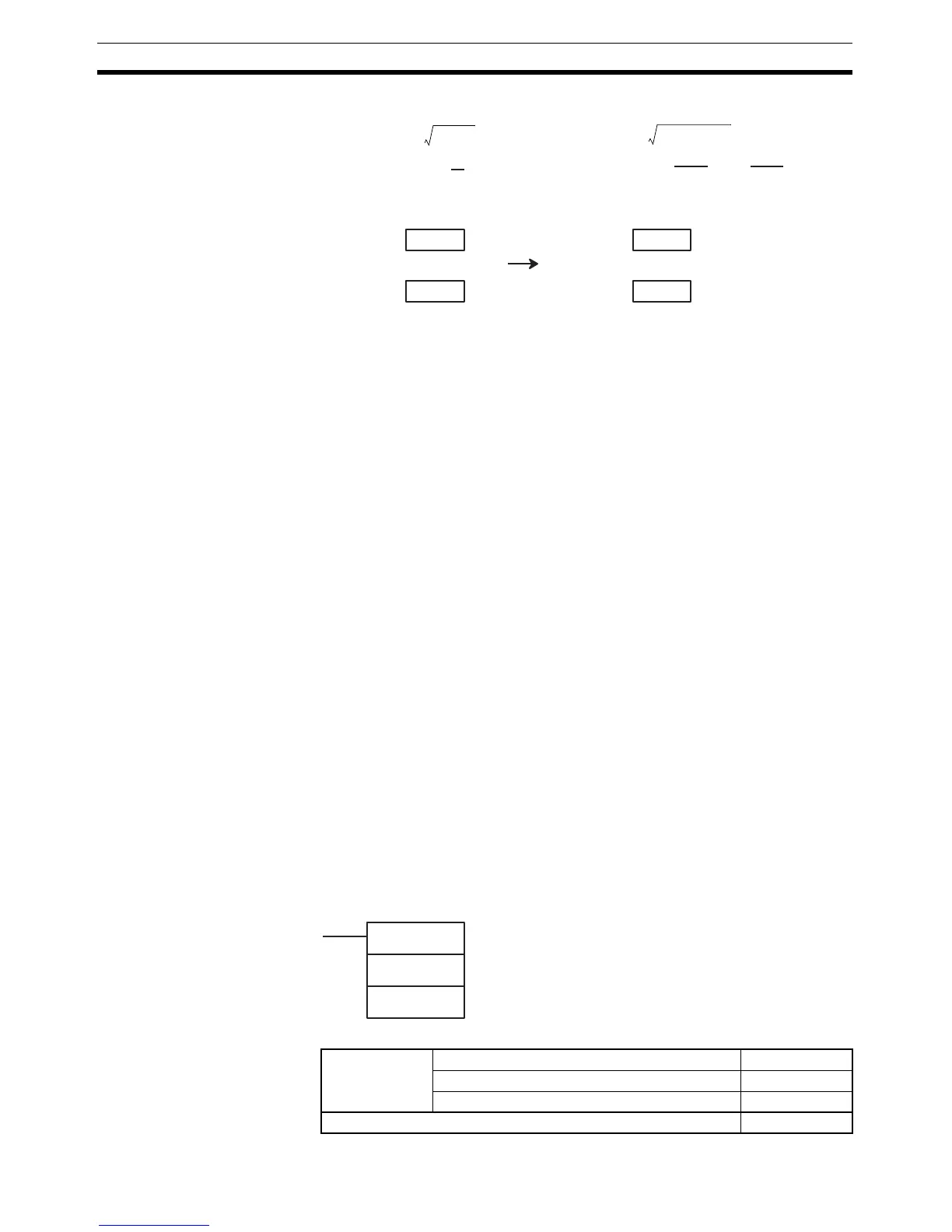
Distance r =
Angle = tan
-1
(
y
x
)
Example
Distance r = = 141.4214
Angle = tan
-1
()
= 45.0
180
π
()
×
χ
2
y
2
+
100
2
100
2
+
FIX(450)
S
R
S: First source word
R: Result word
Variations Executed Each Cycle for ON Condition FIX(450)
Executed Once for Upward Differentiation @FIX(450)
Executed Once for Downward Differentiation Not supported.
Immediate Refreshing Specification Not supported.



 To Next Page