520
Floating-point Math Instructions Section 3-14
Flags
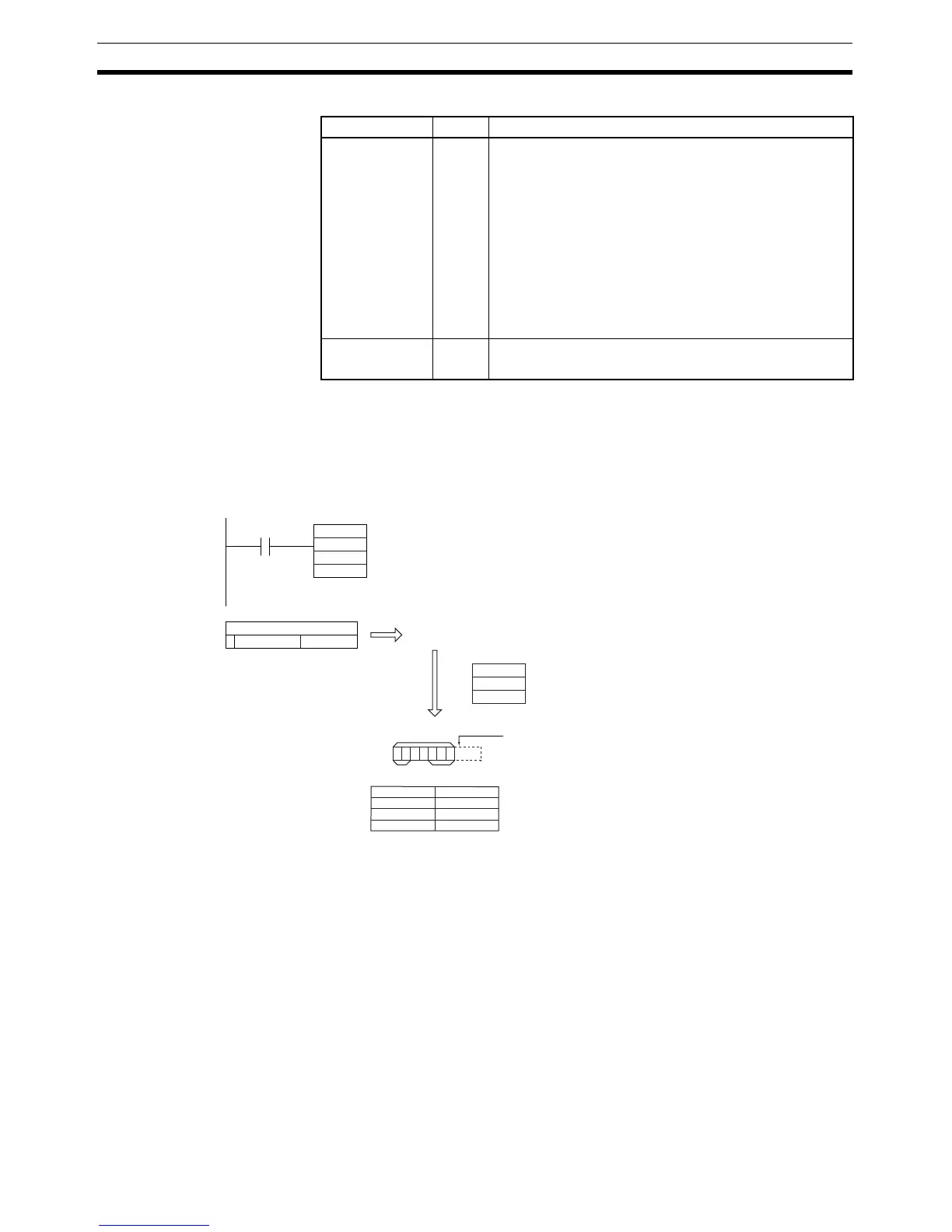
Examples Converting to ASCII Text in Decimal Notation
When CIO 0.00 is ON in the following example, FSTR(448) converts the float-
ing-point data in D1 and D0 to decimal-notation ASCII text and writes the
ASCII text to the destination words beginning with D100. The contents of the
control words (D10 to D12) specify the details on the data format (decimal
notation, 7 characters total, 3 fractional digits).
Converting to ASCII Text in Scientific Notation
When CIO 0.00 is ON in the following example, FSTR(448) converts the float-
ing-point data in D1 and D0 to scientific-notation ASCII text and writes the
ASCII text to the destination words beginning with D100. The contents of the
control words (D10 to D12) specify the details on the data format (scientific
notation, 11 characters total, 3 fractional digits).
Name Label Operation
Error Flag ER ON if the data in S+1 and S is not a valid floating-point
number (NaN).
ON if the data in S+1 and S is +∞ or –∞.
ON if the Data Format setting in C is not 0000 or 0001.
ON if the Total Characters setting in C+1 is not within the
allowed range. (See 1. Limits on the Total Number of
ASCII Characters above for details.)
ON if the Fractional Digits setting in C+2 is not within the
allowed range. (See 3. Limits on the Number of Digits in
the Fractional Part above for details.)
OFF in all other cases.
Equals Flag = ON if the conversion result is 0.
OFF in all other cases.
2E (.)
32 (2)
00
1010100001110010
0011111010100111
FSTR
D0
D10
D100
0.00
15 0
D0
D1
0000(Hex)
0007(Hex)
0003(Hex)
D10
D11
D12
0.327457
30 (0)
33 (3)
37 (7)
D100
D101
D102
D103
0.327457
20 (Space)20 (Space)
Decimal notation
Total characters = 7 characters
Fractional digits = 3 digits (characters)
Conversion
Rounded off
Storage
conditions
Spaces
Total number of characters
Fractional part



 To Next Page