817
Serial Communications Instructions Section 3-23
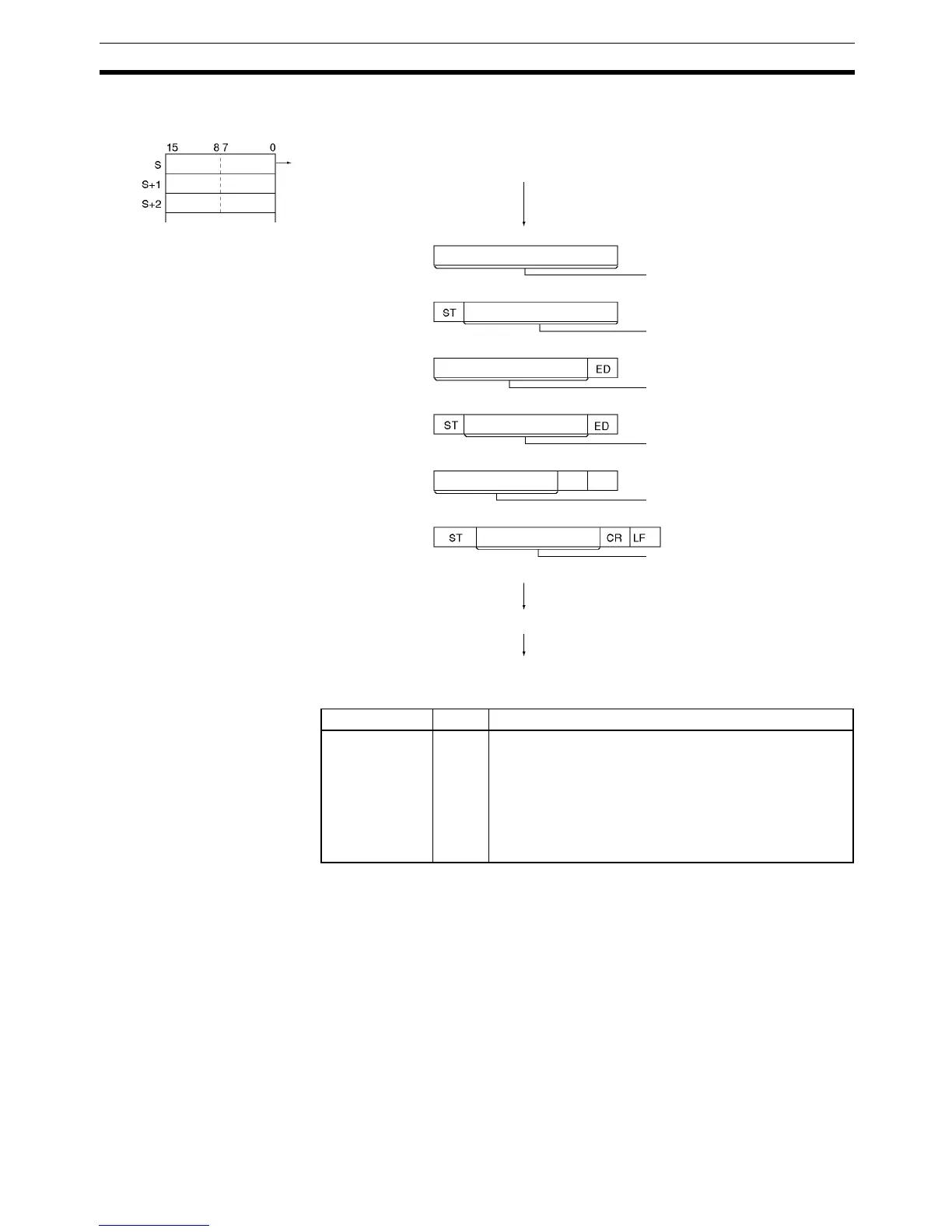
The following diagram shows the order in which data is sent and the contents
of the send frame for various start and end code settings.
Flags
Precautions TXD(236) can be used only for Serial Communications Option Board’s serial
ports that are set to no-protocol mode (RS-232C mode).
The following send-message frame format can be set in the PLC Setup.
• Start code: None or 00 to FF hex.
• End code: None, CR+LF, or 00 to FF hex.
The data will be sent with any start and/or end codes specified in the PLC
Setup. If start and end codes are specified, the codes will be added to the
send data (N). In this case, the maximum number of bytes that can be speci-
fied for N is 256 bytes.
Data is sent in the order specified in C.
Nothing will be sent if 0 is specified for N.
If RS signal control is specified in C, bit 15 of S will be used as the RS signal.
1
3
5
2
4
6
CR LF
CR+LF End Code
Only End Code
Data
Data
Data
Data
Data
Data
N bytes of data is sent in the following order when
sending the most significant bytes first is specified:
1, 2, 3, 4, 5, 6
No Start or End Code
N send bytes: 256 max.
Only Start Code
Send bytes after ST:
256 max.
Send bytes before ED:
256 max.
Start and End Code
Send bytes between
ST and ED: 256 max.
Send bytes before
CR+LF: 256 max.
Send bytes between ST
and CR+LF: 256 max.
Start and CR+LF End Code
Data sent.
Serial port on Serial Communications Option Board
Name Label Operation
Error Flag ER ON if no-protocol mode (RS-232C mode) is not set in the
PLC Setup.
ON if the value of C is not within range.
ON if the value for N is not between 0000 and 0100 hex.
ON if a send is attempted when the Send Ready Flag is
OFF.
OFF in all other cases.



 To Next Page