915
Display Instructions Section 3-25
Messages on the 7-segment display on the CPU Unit are displayed in the fol-
lowing order of priority. Therefore, system error message will be given priority
even if there is a display created with SCTRL(048) or SCH(047).
1. Error messages
2. SCTRL(048) or SCH(047) displays
3. Analog adjustment displays
4. Memory Cassette processing displays
If an error occurs while a SCTRL(048) or SCH(047) display is in effect, the
error message will be given priority, but the SCTRL(048) or SCH(047) display
will return when the error is cleared.
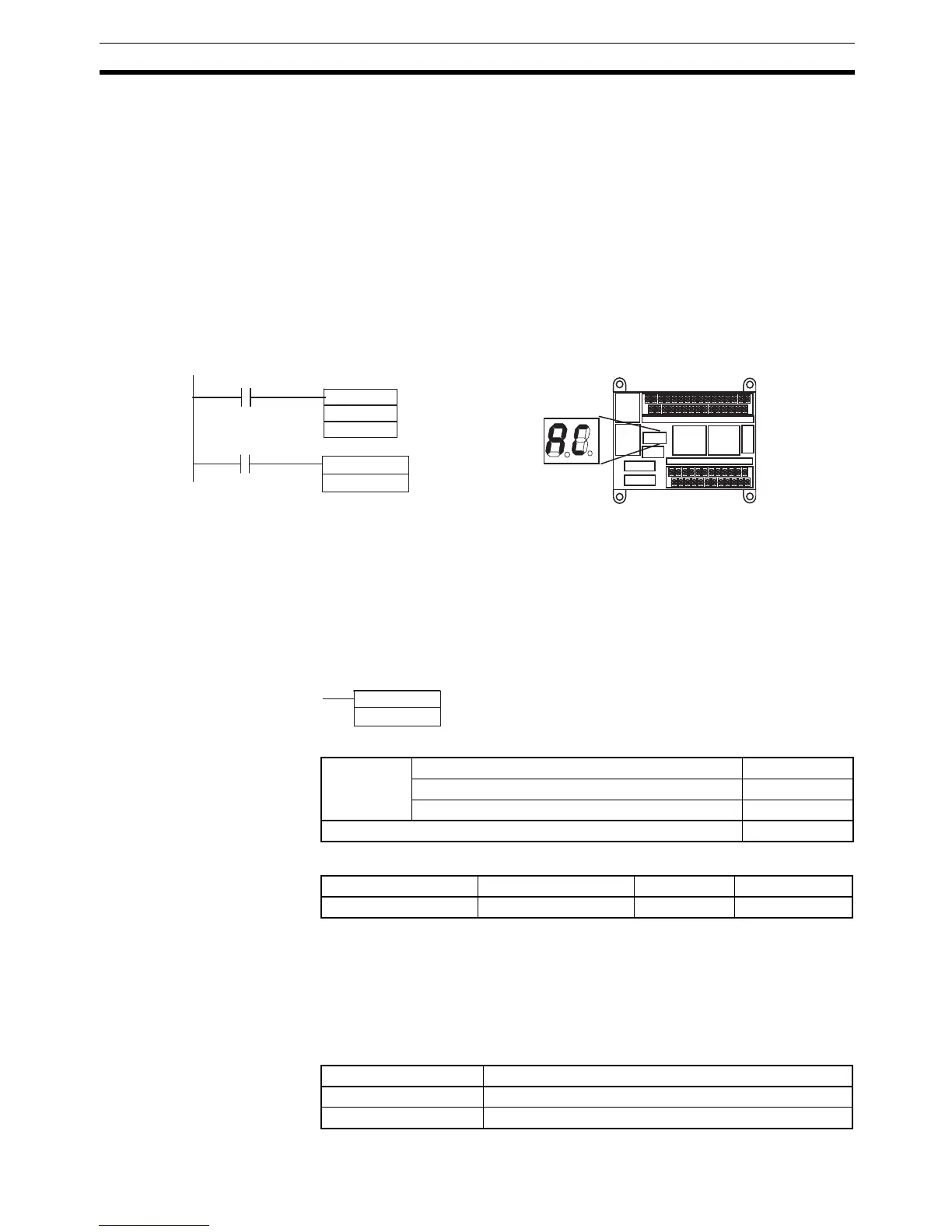
Example When CIO 2.00 turns ON in the following example, “AC” is displayed on the 7-
segment display on the CPU Unit. The display remains even when CIO 2.00
turns OFF. When CIO 2.01 turns ON, the display is cleared by SCTRL(048).
3-25-3 SEVEN-SEGMENT LED CONTROL: SCTRL(048)
Purpose SCH(047) displays two user-specified digits on the 7-segment display on the
CPU Unit according to specifications for individual display segments.
This instruction can be used in the CP1H CPU Units only. It cannot be used in
the CP1L CPU Units. If SCTRL(048) is used in a CP1L CPU Unit, the Instruc-
tion Processing Error Flag (A295.08) will be turned ON.
Ladder Symbol
Variations
Applicable Program Areas
Operands C: Control data
Each bit of the control data corresponds to a segment of the two display digits
on the CPU Unit.
ON: Light digit
OFF: Do not light digit
Operand Specifications
SCH(047)
#00AC
#0000
2.00
2.01
SCTRL(048)
#0000
CP1H CPU Unit
Display data
Display rightmost digits.
Clears the display.
SCTRL(048)
C
C: Control data
Variations Executed Each Cycle for ON Condition SCTRL(048)
Executed Once for Upward Differentiation @SCTRL(048)
Executed Once for Downward Differentiation Not supported
Immediate Refreshing Specification Not supported
Block program areas Step program areas Subroutines Interrupt tasks
OK OK OK OK
Area C
CIO Area CIO 0 to CIO 6143
Work Area W0 to W511



 To Next Page