Operator’s Manual – OPTI CCA-TS2 5-7
5 SAMPLE HANDLING AND PATIENT TESTING
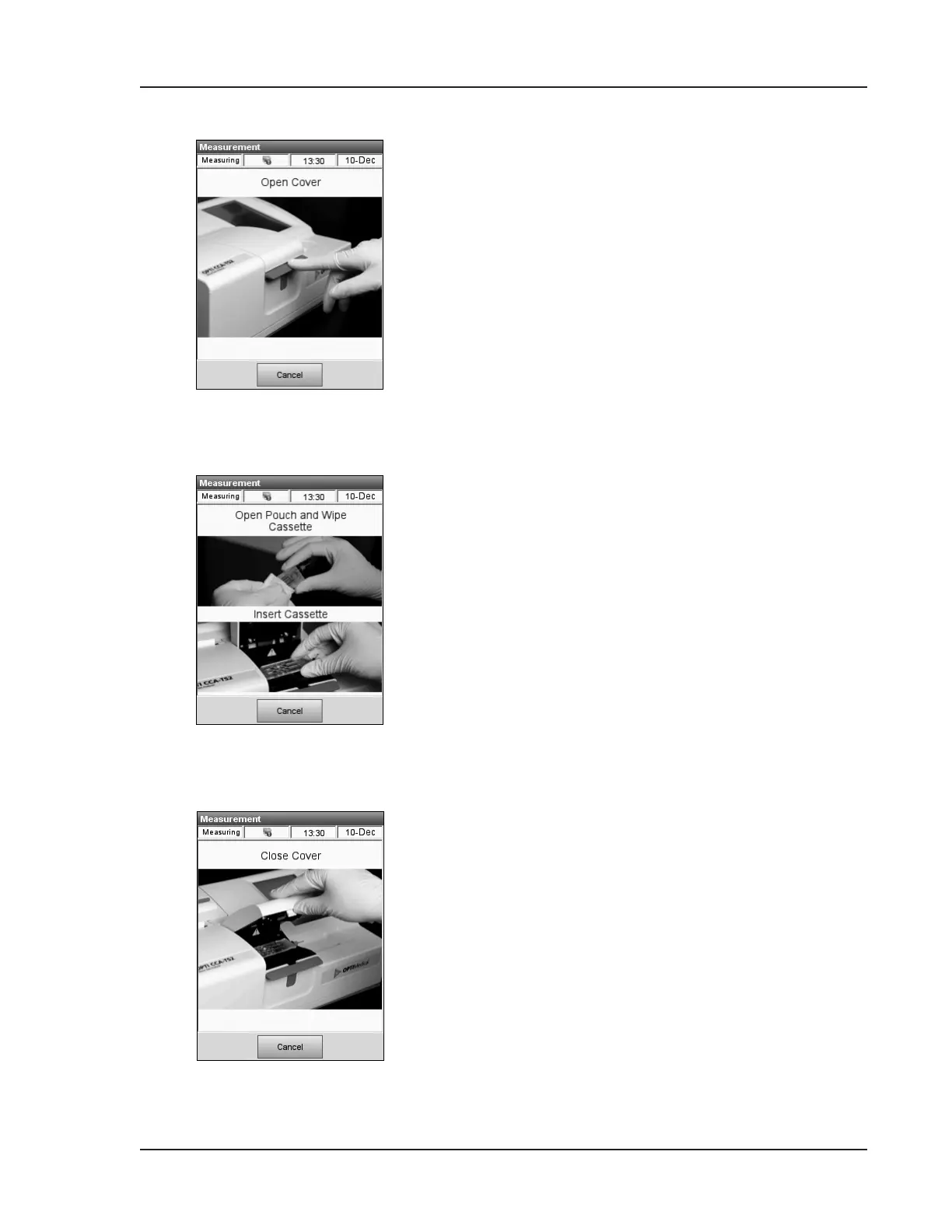
5. Press down on the red latch to open the Sample
Measurement Chamber (SMC) (Fig. 5-6).
6. Insert the cassette as follows:
• Open the OPTI Sensor Cassette pouch and
remove the cassette (Fig. 5-7). After opening
the pouch, proceed with the following steps
immediately.
NOTE: Thecassetteshouldberunimmediately
afteropeningthepouch,butnolaterthan2
minutes(1minuteforB-LacCassettes)after
opening.
NOTE: Forsampleintroductionwithacapillary
tubeoraComfortSampler,removethe
syringeadapterbeforeplacingthecassette
intothechamber.
• Gently wipe both sides of the cassette with a
clean dry cloth to remove excess moisture.
• Insert the cassette in the chamber.
Press down to ensure the cassette is properly
seated (Fig. 5-7).
• Close the SMC cover by pressing it down
rmly (Fig. 5-8).
• The green status light starts to blink
indicating that the SMC cover should not be
opened during this time.
NOTE: IftheSMCcoverisopenedwhilethe
greenstatuslightisblinking,thecassette
calibrationwillbecancelledandthe
cassettemustbediscarded.
Fig. 5-7 Insert Cassette
Fig. 5-6 Open SMC Cover
Fig. 5-8 Close Cover


 To Next Page